Best Practices for Video Marketing: 10 Proven Tactics | RemotionAI Blog
best practices for video marketing · video marketing · video content strategy · AI video tools · social video
Discover best practices for video marketing, from hooks and platform formats to AI production, testing, distribution, and conversion-focused CTAs.
The fastest video isn't always the best video. Publishing more clips won't fix a weak message, a slow opening, or a call to action that gives viewers nowhere to go. Effective video marketing connects a specific audience problem to an immediate hook, platform-native execution, a useful next step, and measurable learning. That applies whether an e-commerce team is selling a product, a startup is explaining a new category, or an internal communications team is helping employees understand a change.
Video is already a mainstream channel. 91% of businesses use video as a marketing tool in 2026, and 93% of video marketers call it important to their overall strategy, according to Wyzowl's 2026 video marketing statistics. The advantage now comes from the workflow behind the content, not just from having a video.
The following best practices for video marketing turn one idea into platform-specific variations, then use performance signals to shape the next version. AI can shorten the production loop, but it shouldn't replace editorial judgment. Use it to test more intelligently, not to publish noise faster. Teams can also boost video engagement with data by connecting creative decisions to audience behavior.
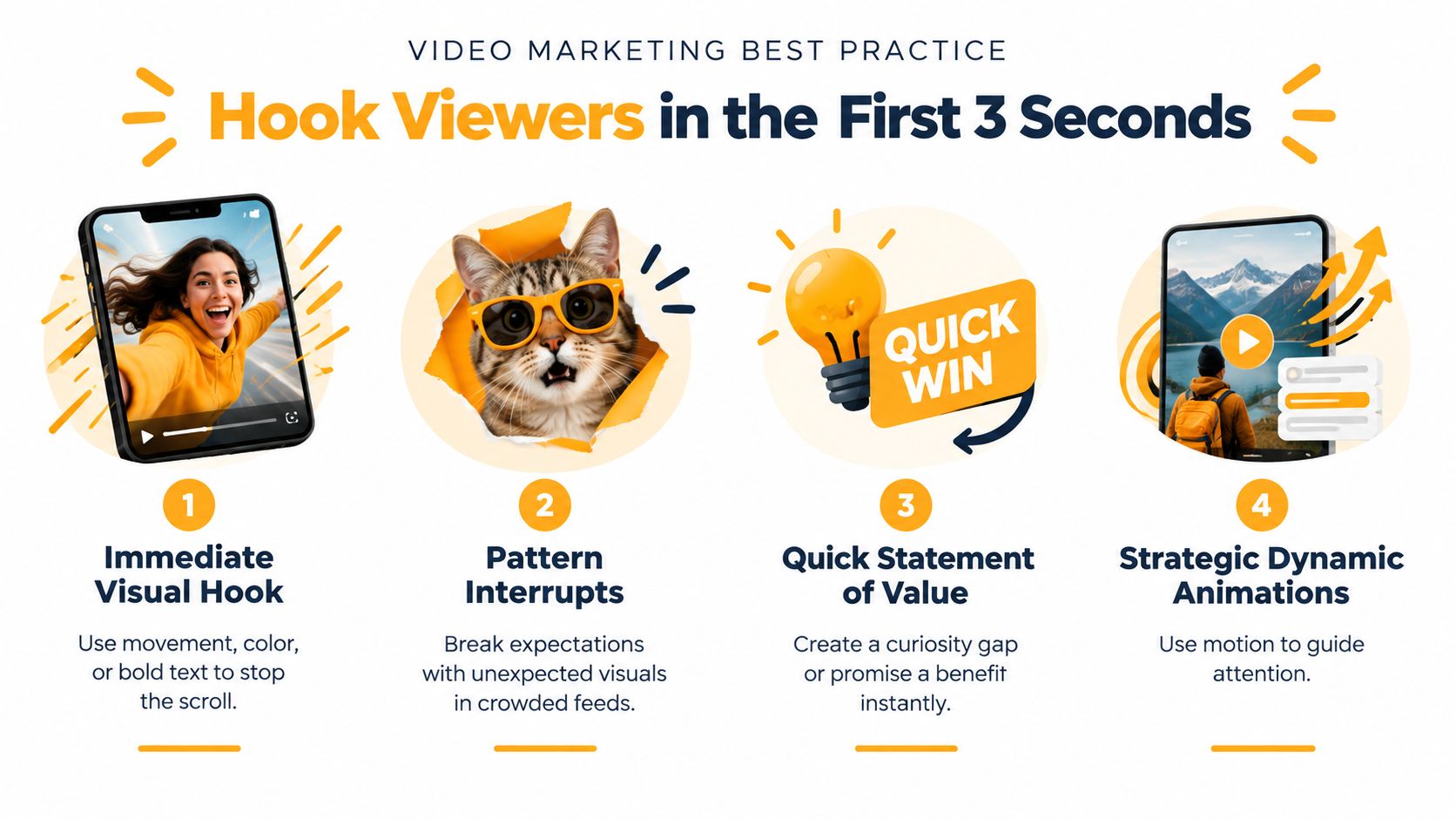
1. Hook Viewers in the First 3 Seconds
A fast opening does not rescue a vague message. The first frame should make the tension, benefit, or unanswered question clear enough to earn another moment. Attention windows on mobile feeds are often measured in the first two to three seconds, according to Market.us. Treat that range as a planning guide, not a universal cutoff.
Start with the audience's problem. An e-commerce ad can show the product transformation before explaining the mechanism. A startup can open with the costly problem its software removes. An internal communications team can state the decision employees need to understand before showing a logo or formal greeting.
Lead with the answer
Test a strong visual, direct question, or bold text treatment. Contrast and movement can help a clip stand out, but neither fixes unclear copy. “Can your team approve this without another meeting?” gives viewers a specific reason to continue. Study hooks that stop the scroll, then adapt those patterns to the audience and offer.
Build several openings from the same body footage. Change the first shot, sentence, or text treatment one variable at a time, so each version produces a useful learning signal. RemotionAI's style presets, AI voiceovers, and animated captions can speed up these iterations. Editorial review still decides whether the hook reflects a real customer, employee, or buyer concern.
Practical rule: If viewers can skip the first sentence without losing anything, the sentence should not lead.
Review retention with views. A high view count followed by an early drop-off usually points to a packaging problem, not automatically a weak subject. Keep the strongest opening, then sharpen its promise in the next variation.
2. Optimize for Platform-Specific Formats
A video isn't finished when it looks good in one master file. TikTok, Instagram Reels, YouTube Shorts, and LinkedIn create different viewing contexts, so the same idea needs different framing, pacing, captions, and safe zones.
Vertical video is the natural starting point for mobile-first social placements. Keep faces, product details, logos, and essential text away from interface areas that may be covered by buttons or captions. A TikTok cut can move quickly through several visual beats, while a YouTube version may benefit from a longer take and more room for explanation.
Build the variation matrix before editing
Start with one message, then define the adaptation:
- TikTok: Use full-screen vertical composition, immediate movement, and fast visual changes.
- Instagram Reels: Preserve a clean 9:16 layout, readable overlays, and graphics that stay clear of interface elements.
- YouTube: Give the viewer more context when the topic needs it, and adapt the edit instead of just stretching a short clip.
- LinkedIn: Design for silent viewing with prominent captions and a professional context.
Hootsuite notes that social video commonly falls between 15 and 60 seconds, recommends captions or on-screen text for sound-off viewing, and identifies vertical video as the best fit for TikTok, Reels, Shorts, and Stories in its social media video length guidance. RemotionAI's vertical and horizontal templates can help teams create platform-ready versions without manually rebuilding every composition.
3. Use Strategic Captions and Text Overlays
Captions aren't decoration. They carry meaning when sound is unavailable, improve accessibility, and direct attention to the words that matter most. Auto-generated subtitles often produce a technically complete transcript, but effective marketing captions are edited for rhythm, hierarchy, and comprehension.
Keep each screen focused. Highlight the product benefit, objection, or key phrase instead of displaying every word with equal visual weight. A DTC brand might emphasize “fits under the seat” while showing the product in use. A startup pitch can punctuate a complex explanation with a short, readable phrase that reinforces the spoken point.
Make silent viewing a design requirement
Use large type, strong contrast, and enough screen time for mobile viewers to read comfortably. Word-by-word animation can create momentum, but excessive movement turns captions into visual clutter. Match the animation to the voiceover's pace, and check the rendered file on an actual phone before publishing.
For teams producing many variations, an AI video caption generator can handle the first pass, while an editor checks names, product terms, punctuation, and line breaks. That division preserves speed without treating automated text as final copy.

A caption should reinforce the visual, not repeat it pointlessly. Use TikTok caption techniques for stronger sharing as inspiration, then adapt language to your audience and objective.
4. Leverage AI Voiceovers for Scalability and Consistency
A manually recorded voiceover can sound distinctive, but it also creates scheduling, retake, editing, and localization work. AI narration is useful when a team needs many product demos, regional versions, explainer clips, or internal updates that share a consistent structure.
Choose the voice after defining the audience and brand role. A friendly conversational voice may suit a product tutorial, while an authoritative delivery may fit a compliance announcement. Write for speech, not for a slide deck. Short sentences, natural punctuation, and clear transitions give synthetic narration a better foundation.
Use automation where revision matters
An e-commerce team can update a product feature without booking another recording session. A startup can create localized pitch variations from an approved script. An internal communications team can revise a policy announcement quickly when the wording changes. Those advantages matter most for repeatable content, not necessarily for a flagship campaign where a founder or customer voice carries strategic weight.
RemotionAI's AI voiceover workflow for video connects generated narration with synchronized captions. Review pronunciation, emphasis, cultural fit, and disclosure requirements before release. AI can standardize delivery, but it can't decide whether the script sounds trustworthy.
5. Create Vertical Story Arcs Within Short Video
Short-form video still needs movement from problem to consequence to resolution. The story can be simple, but the viewer should feel that each beat changes the situation. A product demo might show a recurring frustration, put the product into action, and reveal the result. A startup pitch can move from an overlooked customer problem to the solution and then to the next step.
HubSpot's video marketing report identifies short-form video as the highest-ROI video format in its 2024 report, with the most effective length range at 21 to 60 seconds. That range doesn't eliminate the need for structure. It makes every beat more accountable.
Script the emotional turn
Before writing dialogue, identify what changes:
- Setup: Show the user's situation or unanswered question.
- Action: Demonstrate the choice, product, or insight that changes it.
- Payoff: Make the improvement visible and connect it to a next step.
Don't explain a transformation that the camera can show. A skincare brand can show the application and finished result. An internal team can show the old process beside the new one. Use AI previews to trim pauses, test alternate orderings, and compare a product-first cut with a problem-first cut.
The final moment should resolve the story and guide the viewer. A useful narrative earns attention, while a specific CTA turns that attention into a measurable action.
6. Incorporate User-Generated Content and Social Proof
Polished footage communicates control. Customer footage communicates lived experience. The strongest mix depends on the job of the video, but e-commerce teams, SaaS companies, and consumer brands can often make their message more credible by showing how real people use the product.
Ask customers for specific material rather than a general request for “a testimonial.” Invite an unboxing, a before-and-after explanation, a workflow recording, or an answer to a common objection. A startup can pair a customer screen recording with a concise quote. An internal communications team can feature employees explaining how a new process works in practice.
Protect trust while increasing speed
Obtain written permission before publishing customer footage, and confirm where the content can appear. Don't cut a testimonial so aggressively that it changes the speaker's meaning. If a customer mentions a result or metric, verify it and preserve the necessary context.
RemotionAI can help assemble approved clips into a consistent compilation with branded captions and transitions. That doesn't mean every UGC asset should receive the same treatment. Preserve the informal details that make the footage believable, then use design elements to clarify the message rather than polish away its character.
Build a simple intake process with submission prompts, release language, storage folders, and tags for product, audience, use case, and objection. A searchable library turns one customer contribution into material for multiple platform-specific edits.
7. Implement Consistent Brand Guidelines and Visual Identity
A viewer should recognize a recurring video series before seeing the logo. Consistent type, color, spacing, motion, music, and framing create that recognition. The challenge is keeping the system flexible enough for TikTok, Reels, Shorts, product pages, and internal channels without forcing every video into the same visual mold.
Define the essentials first. Specify approved colors, font hierarchy, logo treatment, caption style, transition behavior, and safe-zone rules. Then create templates for your highest-volume formats, such as product demos, founder explainers, employee updates, and customer stories.
Separate brand rules from creative choices
A brand guideline should protect what must remain stable while leaving room for the message to breathe. An e-commerce product video may need a clean product frame, while a founder-led clip may work better with a looser composition. Both can share typography and color logic without looking identical.
RemotionAI's logo uploads, color controls, and style presets can support this system across repeated renders. Review each template on the target platform, because a brand element that looks balanced in a horizontal layout may crowd a vertical mobile frame.
Don't confuse consistency with repetition. Keep the visual signature stable, but rotate hooks, footage, examples, and pacing so the audience has a reason to watch the next installment.
8. Test and Optimize Through A/B Testing and Analytics
A/B testing should answer one specific production question. Keep the audience, platform, timing, and core message stable while changing one meaningful element, such as the opening visual, hook, voiceover tone, caption treatment, or edit length. This gives e-commerce teams, startups, and internal communications teams a clearer read on what to reproduce.
Views diagnose reach and packaging, but they rarely settle the business question. Platform benchmarks from Shortimize's Shorts performance analysis show why teams should examine retention and engagement alongside views. Connect those signals to the video's job: qualified traffic, product interest, sign-ups, or employee understanding.
Create a learning log
Record the hypothesis, variant, audience, platform, publishing context, retention pattern, engagement, and downstream action. A product team might compare a benefit-led opening with a demonstration, while an internal communications team tests presenter-led footage against a text-first edit. The same source idea can then become platform-specific variations with AI-assisted production, without losing the test design.
Use external benchmarks as directional context, not as a replacement for your own baseline. Review results on a consistent cadence, isolate meaningful changes, and document the winning pattern in a reusable template. AI can reduce the time needed to create and localize variants, but it cannot make a weak hypothesis useful or turn noisy results into proof.
9. Craft Compelling Calls-to-Action and Drive Conversion
A video can earn attention and still fail commercially if the next step is unclear. Match the CTA to the video's role. A discovery clip might ask viewers to follow or learn more, while a product demo can send qualified viewers to a product page. An internal update may ask employees to read a policy, complete training, or submit a question.
Use direct language that tells people what happens next. “See the full setup” is more useful than “Learn more” when the destination contains a demonstration. Place the CTA after the message has earned it, then reinforce it with readable text and a clear visual path.
Align the CTA with the funnel
A startup shouldn't ask cold viewers to book a sales call before explaining the problem. An e-commerce brand shouldn't hide the product link after spending the whole video on lifestyle footage. An internal communications team shouldn't end with a slogan when employees need a specific action.
Create separate CTA variants when the same video serves discovery and conversion audiences. Track clicks, visits, sign-ups, purchases, or completion of the requested internal action. RemotionAI's text overlays and brand controls can keep CTA treatments consistent while you test wording, placement, and timing.
The best CTA feels like a helpful continuation of the story. It removes uncertainty instead of adding pressure.
10. Produce Videos at Scale with Templates and Automation
Manual production breaks down when every platform, product, language, and campaign needs a separate edit. A scalable workflow starts with approved building blocks, including scripts, footage, product images, voice profiles, caption styles, layouts, and CTA modules. Templates then turn those components into repeatable production logic.
Begin with the formats you make most often. An e-commerce team might template product demos by SKU. A startup might build separate layouts for founder announcements, feature explainers, and launch ads. An internal communications team can create a monthly update format with replaceable speaker, message, and action fields.
Treat scale as a quality-control problem
Automation only helps when the inputs are organized. Store approved assets, name files consistently, define review ownership, and check every render for pronunciation, text overflow, missing footage, brand errors, and platform-safe composition. Batch production should make review easier, not eliminate it.
Automated video production with RemotionAI supports a workflow in which a natural-language brief generates Remotion code, the team previews changes, and the final file is rendered for production use. The platform states that its optimized pipeline can render 1080p videos in under two minutes, as described in its publisher information. Use that speed for controlled variation, not indiscriminate volume.
Save performance data beside finished assets. Over time, you'll learn which templates support strong hooks, clear explanations, and useful conversion paths.
Top 10 Video Marketing Best Practices Comparison
| Item | Complexity 🔄 | Resource Requirements ⚡ | Expected Outcomes 📊 | Ideal Use Cases 💡 | Key Advantages ⭐ |
|---|---|---|---|---|---|
| Hook Viewers in the First 3 Seconds | Low–Moderate: creative concept + A/B tests | Low: short edits, motion/text assets | Higher completion, engagement, algorithmic boost 📊 | Short-form feeds, ads, product teasers | Rapid attention capture; increases shares/saves |
| Optimize for Platform-Specific Formats | Moderate: adapt layouts & specs per platform | Moderate: templates, testing per platform | Better reach, fewer technical issues, improved placement 📊 | Cross-platform campaigns, repurposed content | Maximizes visual real estate; platform-friendly delivery |
| Use Strategic Captions and Text Overlays | Low: caption sync + placement checks | Low: caption tool + design choices | Increased watch time (muted), accessibility, searchability 📊 | Silent-autoplay platforms, tutorials, social clips | Improves retention and accessibility; reinforces message |
| Leverage AI Voiceovers for Scalability and Consistency | Low–Moderate: voice selection & tuning | Low: AI subscription; minimal audio workflow ⚡ | Faster production; consistent narration; easy localization 📊 | High-volume content, localization, demos | Speeds production 10x; easy revisions and scaling |
| Create Vertical Story Arcs Within Short Video | Moderate: scripting, pacing, tight editing | Moderate: creative time, focused edits | Stronger emotional engagement and message retention 📊 | Product demos, pitches, brand storytelling | Makes messages memorable; boosts shares and action |
| Incorporate User-Generated Content and Social Proof | Low–Moderate: sourcing, curation, legal releases | Low–Moderate: collection workflows, permission management | Higher trust, engagement, and conversion rates 📊 | DTC, e-commerce, testimonial-driven campaigns | Authenticity at lower cost; builds credibility quickly |
| Implement Consistent Brand Guidelines and Visual Identity | Moderate: upfront style guide + templates | Moderate: design assets, brand presets | Increased recognition and cohesive series performance 📊 | High-volume brands, cross-team production | Scales brand consistency; enables non-designers to deliver on-brand |
| Test and Optimize Through A/B Testing and Analytics | Moderate–High: test design & disciplined measurement 🔄 | Moderate: analytics tools, traffic for significance | Data-driven improvements; optimized conversions and spend 📊 | Performance marketing, ad creative, hypothesis testing | Replaces guesswork with repeatable winners; improves ROI |
| Craft Compelling Calls-to-Action and Drive Conversion | Low: clear copy + placement testing | Low: tracking links, CTA overlays | Higher conversion rates; measurable business outcomes 📊 | E‑commerce promos, signup funnels, paid ads | Directly converts engagement into revenue; easy to measure |
| Produce Videos at Scale with Templates and Automation | Moderate: template & workflow setup; prompt tuning | Moderate: automation platform, asset library ⚡ | High-volume output, lower cost per video, consistent quality 📊 | Catalogs, localized campaigns, content ops at scale | Rapid batch production; enables broad experimentation and scale |
Turn Ten Practices Into One Repeatable System
The ten practices work best as a single operating loop. Start with the audience problem, not the format. Decide whether the video is meant to create discovery, support consideration, drive a conversion, or help an existing customer or employee take action. That choice determines the hook, story depth, CTA, and metrics.
Write a short brief before opening the editor. Include the audience, problem, offer or message, proof, desired action, platform, brand rules, and the one thing the viewer should remember. Then write the hook first. If the opening doesn't make the value or tension clear, adding music, transitions, or stock footage won't rescue it.
Use this publishing sequence:
- Define the goal: Choose the business or communication outcome before selecting a KPI.
- Write the story: Move from problem to useful change, and remove every line that doesn't support that movement.
- Choose the native format: Adapt framing, pacing, captions, and safe zones for each destination.
- Design for sound-off viewing: Add readable captions and purposeful overlays, then check them on a phone.
- Select the right voice and footage: Use AI narration for repeatable volume, human voices for moments where personal trust matters, and customer footage when lived experience is the proof.
- Apply brand rules: Keep approved colors, type, logo treatment, and motion behavior consistent without making every video identical.
- Add a specific CTA: Tell viewers exactly what to do and connect the action to the video's role.
- Measure attention and action: Review retention, engagement, clicks, conversions, or completion of the requested internal action.
- Create the next variation: Change one meaningful element, document the hypothesis, and keep the learning that transfers to future content.
This system also clarifies the discovery-versus-conversion trade-off. A short video can earn excellent on-platform attention without producing a sale, while a less spectacular product explanation may help a qualified visitor decide. Don't force every asset to do every job. Build a sequence in which discovery content creates interest, consideration content answers objections, and conversion content makes the next step easy.
AI can shorten the production loop through prompts, Remotion code, previews, voiceovers, captions, reusable templates, and platform-ready renders. RemotionAI is one option for teams that want to turn plain-language ideas into editable, production-quality MP4 videos while retaining control over messaging and brand decisions. The tool can help an e-commerce team adapt one product idea across placements, a startup produce launch variations, or an internal communications team maintain a reliable update format.
The strategic work remains human. Someone must choose the audience problem, approve the claim, protect customer trust, judge the voice, and interpret the data. More output matters only when every variation gives the team a clearer answer about what helps the audience and the business.
RemotionAI turns natural-language briefs into platform-ready videos with Remotion code, previews, AI voiceovers, synchronized captions, templates, and brand controls. Use it to build a faster testing loop for product demos, social campaigns, startup launches, or internal updates, then visit RemotionAI to create your next video variation.