Product Demo Video Maker Guide for Marketers | RemotionAI Blog
product demo video maker · AI video generator · product demo videos · video marketing · RemotionAI
Discover how a product demo video maker helps you create high-converting demos fast. Features, workflow, and AI tips for TikTok, Reels, and YouTube.
You've probably been here this week. A launch date is close, sales wants a clean walkthrough, social needs short cuts for TikTok and Reels, and the only demo you have is a messy screen recording with awkward pauses and no captions.
That's usually when teams start looking for a product demo video maker. But the useful shift isn't just finding a tool that makes one decent video. It's building a system that turns one demo into many formats without rebuilding every time. That's the difference between a content bottleneck and a repeatable workflow.
Why Product Demo Videos Matter Right Now
A lot of marketers still treat demos like a nice extra. In practice, they often act more like the moment where curiosity turns into action. One industry summary reports that landing pages with embedded demo videos convert at 4.8% versus 2.9% without them, a 65% lift, and that prospects who engage with product demo videos convert at 7.9× higher rates than those who do not, according to these video marketing statistics.
That matters because buyers rarely want abstract claims. They want to see the product do the thing.
There's also a production shift happening. A 2026 guide notes that a high-quality demo used to cost $1,000 to $3,000 per finished minute, while the AI video generator market is projected to reach $946.4 million in 2026 and grow at a 20.3% CAGR through 2033, based on this video marketing industry roundup. That's a practical signal for lean teams. The work that used to require a full production chain is moving into software.
Product demos used to be project work. More teams now treat them as ongoing content operations.
If you're shipping across paid social, landing pages, email, and sales enablement, speed matters almost as much as polish.
What a Product Demo Video Maker Actually Does
Think of a product demo video maker like a kitchen line for video. You bring the ingredients: script, screen capture, voiceover, captions, brand assets. The tool helps turn them into something watchable, consistent, and ready to serve across channels.
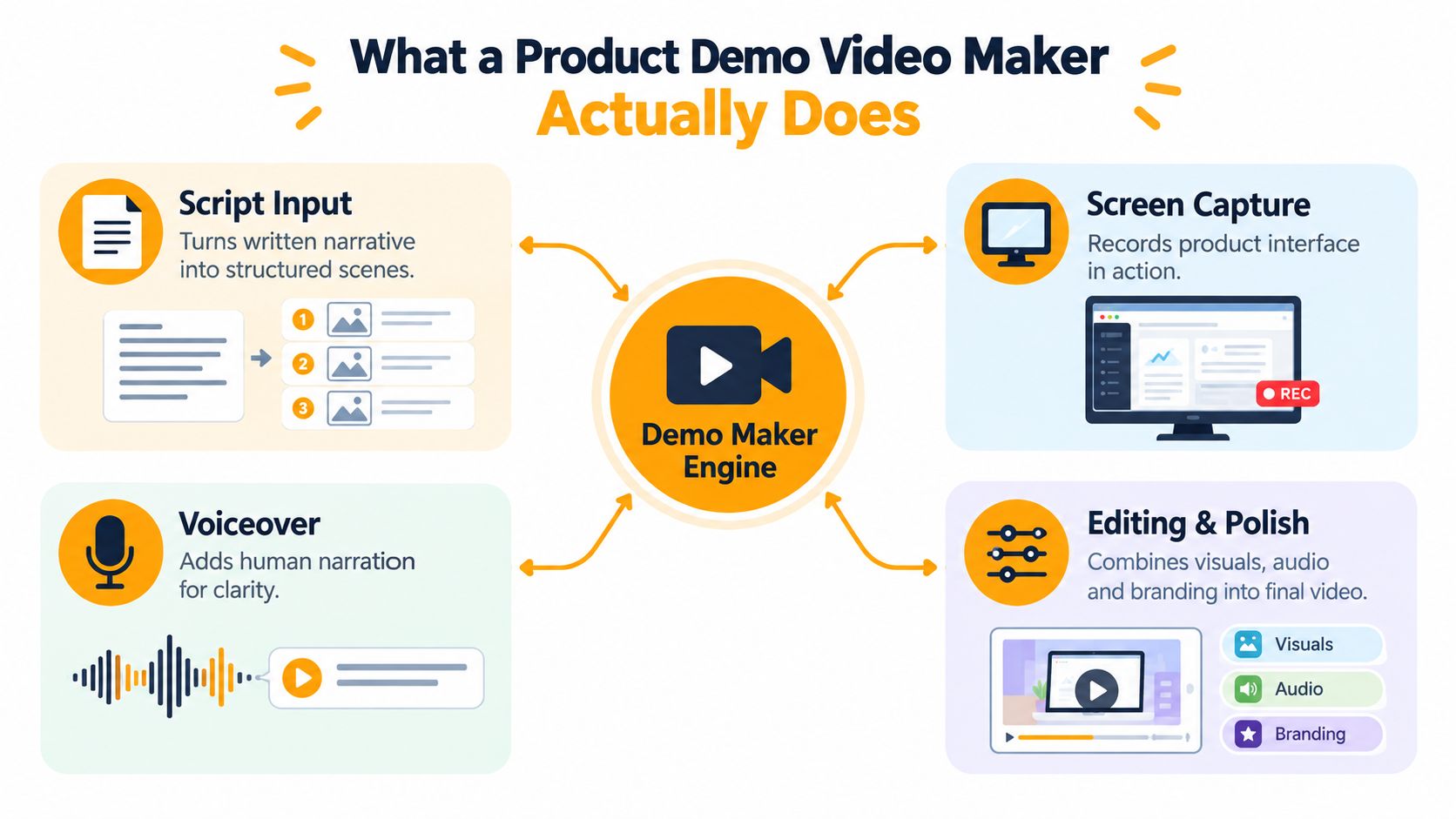
The basic inputs
Most demo workflows start with four pieces:
- A script: what you want to say, in plain language
- A capture: your product interface, screenshots, or animated scenes
- A voice track: recorded narration or AI voiceover
- A polish layer: captions, zooms, transitions, logo, colors, and export settings
The reason beginners get confused is that many tools show all of this at once. It feels like editing software, motion design, and publishing controls got dropped into one screen. The mental model is simpler. The product demo video maker is there to align message, visuals, and timing.
What modern tools add
Newer tools don't just trim clips. They can help write scenes from a prompt, generate layouts, sync narration to visuals, and output multiple aspect ratios. Some tools are browser editors. Some are template-driven. Some are code-based under the hood, which gives teams more control over reusable formats.
Practical rule: If a tool helps you revise the script and scene order before you re-render the whole video, it usually saves more time than a flashy transition library.
That matters when a PM changes the feature name an hour before publish.
Core Features That Make Demos Convert
A good demo doesn't convert because it looks expensive. It converts because the viewer understands the product fast, even on a small screen, often without audio.
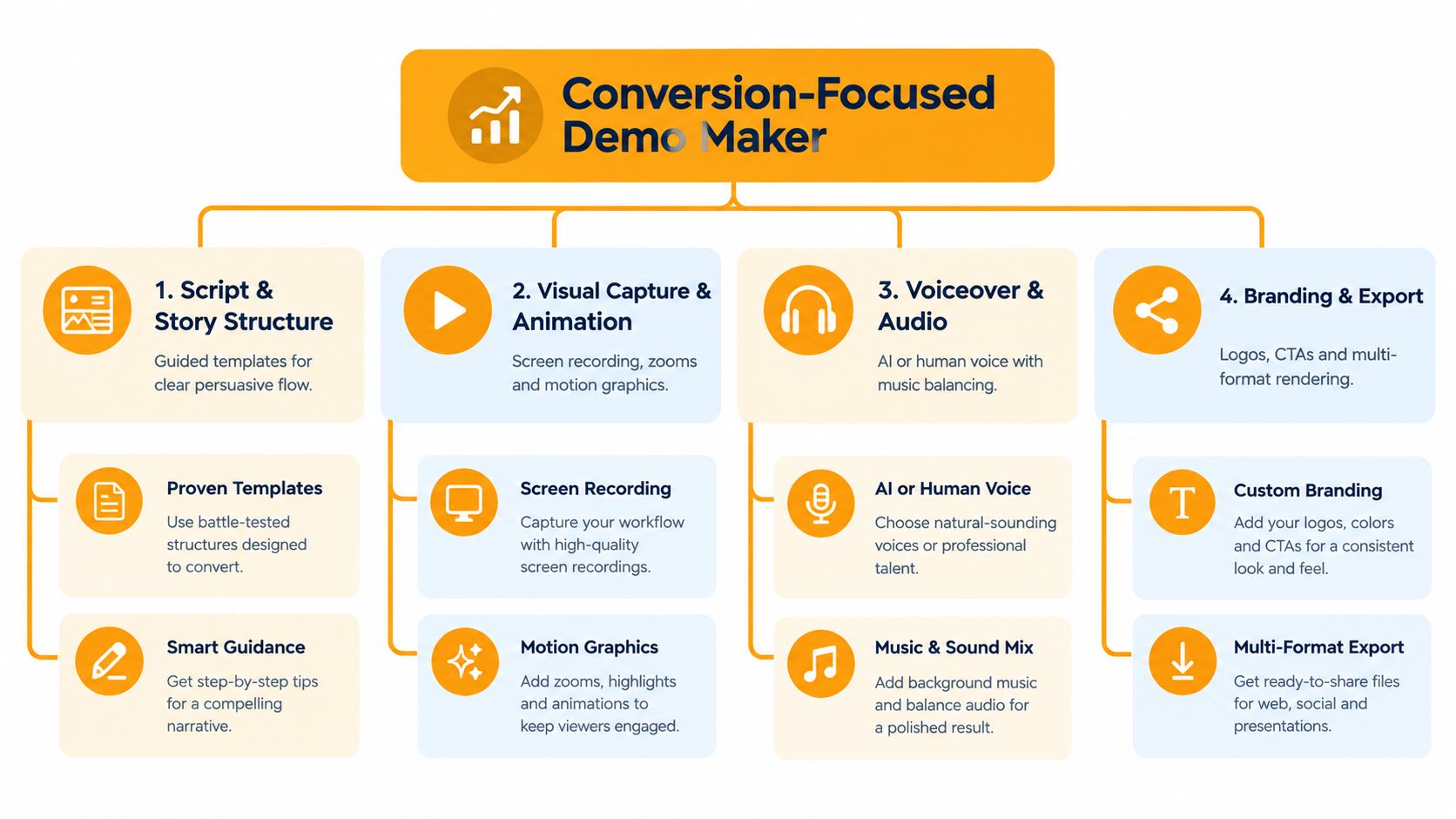
Story structure and pacing
Explainer-style production guidance commonly uses about 150 words per minute, so a 90-second demo needs roughly 225 words, according to this explainer video scripting guide. That sounds small, but it's one of the best filters for quality. If your script is too dense, your visuals lag behind. If it's too thin, the video drifts.
Look for tools that make scripting and storyboarding easy to adjust early.
Silent-feed clarity
On Facebook, an estimated 85% of videos are watched without sound, and captioned videos are 80% more likely to be watched to completion, according to this 2026 social video research review. For demo videos, that makes captions more than an accessibility box to check. They carry the pitch when audio is off.
Features that help here include:
- Word-by-word captions: better for keeping attention during fast product walkthroughs
- Text emphasis controls: useful when your UI has tiny labels
- Safe placement guides: so text doesn't get hidden by app controls
Visual sharpness and export control
For social-first demos, a practical baseline is 1080×1920, 9:16, with H.264/MP4 video and AAC audio, because TikTok, Instagram Reels, and YouTube Shorts all treat that as a safe cross-platform default. Market guidance also commonly recommends roughly 8–12 Mbps for 1080p vertical exports, as explained in this vertical video dimensions guide.
That prevents one of the most common demo failures: blurry interface text after upload.
How to Choose the Right Product Demo Video Maker
Choosing a product demo video maker gets easier when you stop asking, “Which one has the most features?” and start asking, “Which one fits how my team ships content?”
If your team already compares a lot of software for content teams, use the same logic here. Judge the workflow, not the marketing page. Also check what the total setup will cost over time, especially if your team will produce regularly. This breakdown of AI video generator pricing is useful for framing that decision.
Product Demo Video Maker Evaluation Checklist
| Evaluation Criteria | What to Look For | Why It Matters |
|---|---|---|
| Speed to first draft | Can you get from script or recording to a reviewable cut quickly? | Faster draft cycles make product updates less painful |
| Template flexibility | Can one structure become ads, explainers, and walkthroughs? | You want reuse, not one-off assembly |
| Brand controls | Logo, colors, fonts, caption style, layout rules | Keeps every version consistent |
| Caption quality | Clean timing, readable styling, easy edits | Silent-feed viewing is common |
| Aspect ratio support | Vertical, horizontal, and square outputs | One master should adapt across placements |
| Revision workflow | Script-level and scene-level edits | Reduces full rework when messaging changes |
| Render performance | Reliable export and preview speed | Slow rendering kills iteration momentum |
Red flags worth noticing
Some tools are great for quick recordings but weak at repurposing. Others look polished but force you to rebuild each size manually. If you plan to publish across TikTok, Reels, YouTube, and landing pages, the product demo video maker should behave like a content system, not a single-use editor.
End to End Workflow From Script to Render
The cleanest workflow I've seen is still the simplest one: brief, script, storyboard, production, review, export.
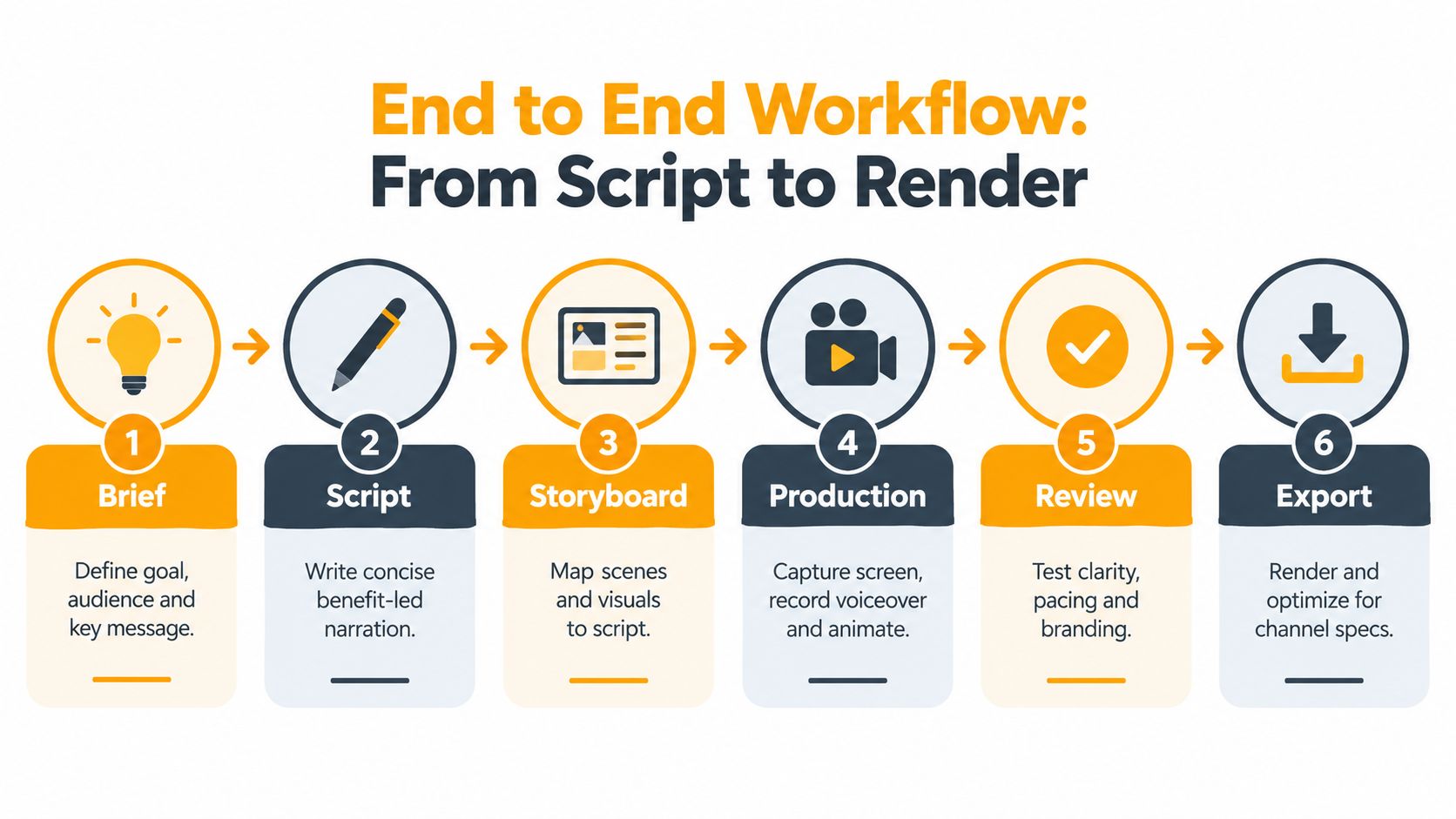
Start with the brief
Write down three things before anyone hits record:
- Audience: new prospect, current user, or internal team
- Outcome: click, sign up, understand, or remember
- Placement: TikTok, Reels, YouTube, landing page, email
If you need source material for a script, especially from webinar clips or existing creator content, tools that extract YouTube transcripts for RAG can help you turn spoken material into something easier to shape into scenes.
Script and storyboard before production
Use the pacing rule covered earlier. Keep each scene attached to one message. If a sentence explains two separate ideas, split the scene. That one habit saves a lot of edit churn.
A useful starting point is a structured video scripting template that maps hook, product action, benefit, and CTA in order.
Keep narration and visual change moving together. When the voiceover talks about one button while the screen shows three menus, viewers stop trusting the demo.
Produce once, export many
Record or generate a vertical-first master. That usually gives you the easiest path to social distribution, and you can adapt outward from there. During review, check three things before anything else:
- Can a viewer understand it muted
- Can they read the UI on a phone
- Can they tell what action to take next
Once that works, export your variants rather than re-editing from scratch.
Real World Use Cases and Platform Performance Tips
A single demo can do more work than expected. The trick is changing the cut, not rebuilding the idea.
Match the cut to the job
Here's how that usually plays out:
- E-commerce ads: short, visual, benefit-first clips
- Product launches: a clearer narrative with feature sequencing
- Tutorials: slower pacing, more captions, stronger step labels
- Internal comms or enablement: direct walkthroughs that favor clarity over polish
If you're working on shoppable or DTC formats, this guide to an ecommerce product video is a useful companion because the buying context is different from a SaaS walkthrough.
Pick length based on the platform goal
A 2026 benchmark analysis of more than 6 million TikTok videos found that 15- to 30-second clips achieved the highest engagement rate at 6.00%, while 120- to 180-second clips generated the most median views at 11,136, according to these TikTok short-form benchmarks. On Instagram Reels, 45 to 60 seconds performed best for both engagement and median views, with a reported 0.35% engagement rate and 10,374 median views, based on this Reels benchmark analysis.
That's why one master demo should branch into variants. A short cut can chase interaction. A longer cut can explain more and reach viewers who are willing to watch.
Why the system mindset matters
Recent industry coverage says short-form AI video is dominant, brands increasingly adapt one concept into vertical, horizontal, short, and localized outputs, and product demos and explainers are the #1 AI video use case at 31% of output, according to this 2026 AI video trends report. That lines up with what many teams feel every day. The pain isn't making one demo. It's keeping every version on-brand and easy to update.
One option in this category is RemotionAI, which turns plain-English prompts into editable video compositions with voiceover, captions, and platform-ready outputs. That kind of setup is helpful when you need fast cutdowns and repeatable format changes instead of one finished file.
Start Creating Demos That Drive Action
The strongest product demo video maker isn't just a video editor. It's a repeatable system for turning one clear story into many channel-ready versions. Teams that do this well usually share three habits: they script tightly, design for silent viewing, and export in platform-native formats from the start.
Start with one product moment people need to understand. Build one master demo around that moment, then turn it into the cuts your channels need.
RemotionAI helps teams turn rough demo ideas into polished, platform-ready videos without rebuilding every version by hand. If you want a workflow that supports scripting, captions, voiceover, and reusable vertical or horizontal outputs, take a look at RemotionAI.