How to Create Animated Videos for YouTube | RemotionAI Blog
animated videos · youtube animation · RemotionAI · AI video generator · youtube seo
Learn how to create animated videos for YouTube using AI tools like RemotionAI. Master scripting, rendering, and technical settings to grow your channel.
You've probably opened an animation project with a strong idea, a polished template, and no clear plan for keeping viewers until the end. The first scenes look impressive, but the narration takes too long to reach the point, the visuals repeat, and production becomes too slow to sustain a channel.
Learning how to create animated videos for YouTube means solving two problems at once: retention and repeatable production. AI can speed up scripting, voiceovers, captions, and code generation, but it won't replace editorial judgment. The strongest workflow uses automation to improve consistency while keeping the story, pacing, and creative decisions recognizably yours.
Designing for Viewer Retention and Watch Time
A viewer clicks an animated video, sees a polished opening, then leaves before the explanation begins. Retention usually fails through delayed value, repeated visuals, or a format that gives viewers no reason to return.
YouTube animation expanded beyond isolated viral clips during the platform's 2008–2012 golden age, as stronger production and larger audiences supported recurring programming. A 2017 analysis found that more than 30 successful animation-specific channels had collectively generated over 11 billion views and 52 million subscribers (historical analysis of YouTube animation). Use that history as a format lesson, not a copying brief. Build episodes around a premise viewers can recognize and follow.
YouTube's recommendations later placed greater weight on watch time and consistent publishing than on raw views alone. A polished one-off may attract attention, but a repeatable series gives both viewers and your production system a clearer path. AI code generation with RemotionAI can help reproduce a visual system, while editorial choices still determine whether each episode feels specific rather than repetitious.
Start with one audience problem and a one-sentence promise: “By the end of this episode, you'll understand why your product launch videos lose attention.” Let that promise shape the opening, thumbnail, title, and payoff.
Practical rule: Treat every scene as a communication unit. It should orient, explain, demonstrate, transition, or conclude.
Review the first 30 seconds separately. Cut generic title cards and decorative motion that delays the value. Introduce a visual change, proof point, or reveal at a pace viewers can follow. For runtime guidance, see how long a YouTube video should be.
Scripting and Timing Your Animation
Don't generate visual assets before the narration has a stable structure. Write the script, record or generate the voice track, and use that audio as the timing foundation for the animatic. This prevents the common mistake of forcing a polished scene to fit dialogue that was written afterward.
Break the narration into a shot list. Each shot needs a clear job, a duration, and a visual decision. A sentence explaining a process might use sequential diagrams, while a sentence making a claim might need a chart, product screen, or character reaction. Decorative movement is useful only when it clarifies emphasis, mood, or transition.
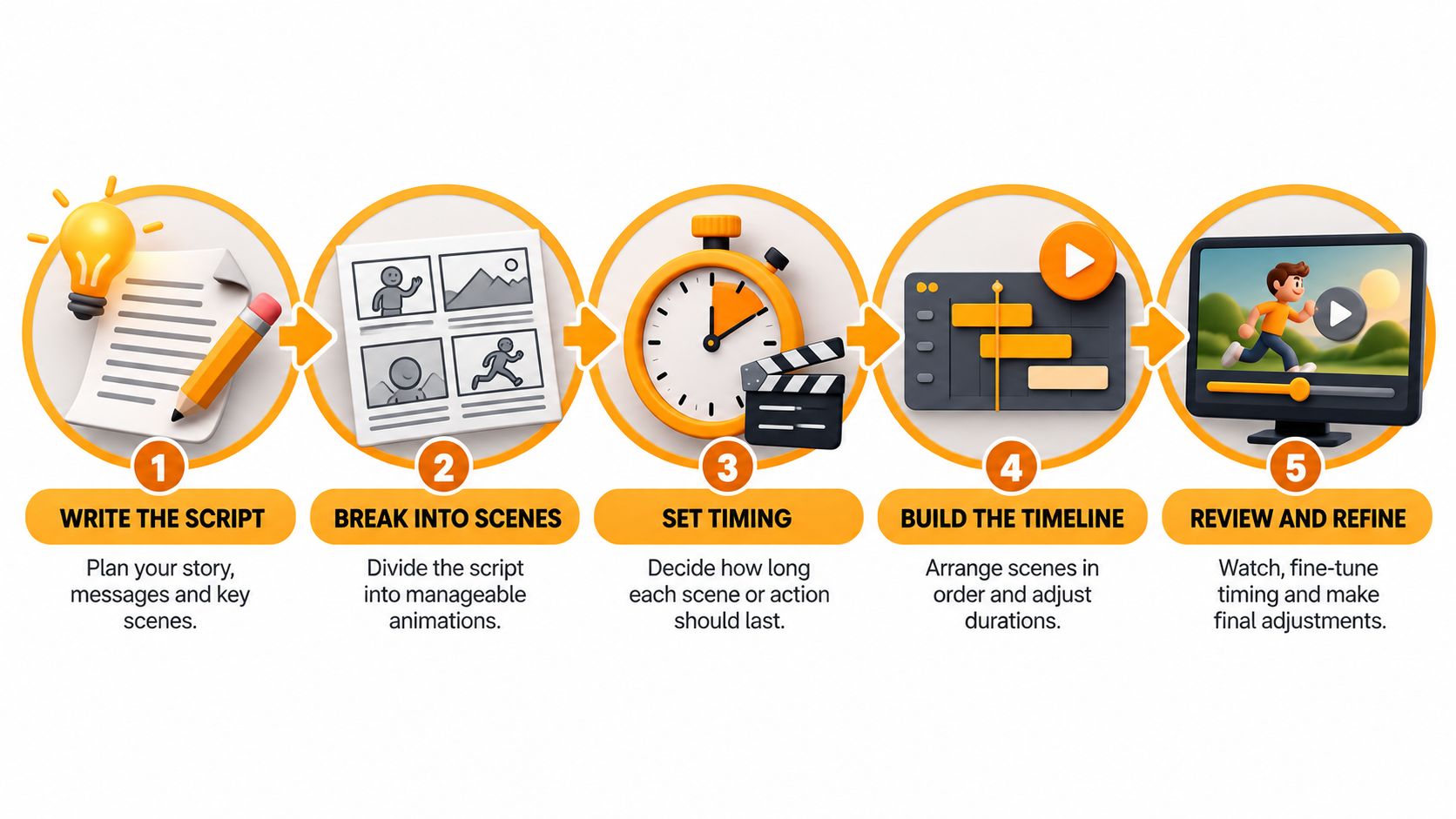
A practical pre-production sequence looks like this:
- Define the promise: State the audience problem and the payoff in one sentence.
- Lock narration: Remove pauses, repeated explanations, and weak transitions before animating.
- Build the shot list: Mark every visual change, example, reveal, and caption.
- Create an animatic: Use rough shapes and temporary artwork to test rhythm cheaply.
- Animate the approved timing: Add character performance, transitions, sound design, and final captions only after the structure works.
A video scripting template for YouTube can help standardize this pre-production stage without making every episode sound identical. For editing decisions around cuts, pacing, and clarity, SponsorRadar advice for creators offers another useful reference.
Building an AI-Assisted Animation Pipeline
Traditional timeline animation gives you precise control, but it can make every revision expensive. A code-based workflow treats scenes, captions, transitions, and timing as editable components. You can change the structure with a prompt, preview the result, then refine the underlying React composition instead of dragging every layer by hand.
A practical pipeline combines several tools rather than asking one model to do everything:
- Script generation helps produce an outline, alternate hooks, and concise narration drafts. Human editing must determine the argument, examples, and voice.
- AI voiceovers, including ElevenLabs workflows, provide a timing reference before detailed animation begins.
- Code generation creates reusable scenes, animated text, charts, and character layouts that can be adjusted across episodes.
- Text-to-video tools such as Seedance suit cinematic B-roll, atmospheric transitions, or photorealistic hero shots, but they're less dependable for consistent characters, exact typography, and repeatable educational layouts.
- Word-by-word captions improve comprehension and give the frame a constant information rhythm, provided the emphasis follows the narration rather than distracting from it.
The trade-off is control versus convenience. A drag-and-drop template is quick when the format is simple, but it often produces interchangeable episodes. A prompt-to-code system takes more editorial direction, yet lets you download and customize the source, vary scene composition, and preserve a consistent visual system without repeating the same sequence.
Creators comparing workflows can also consult this guide to AI video for TikTok creators, especially when adapting horizontal YouTube ideas into vertical formats. The central principle remains the same: automate production quality, not creative substance.
Mastering YouTube Technical Specifications
Smooth playback starts with a frame-rate decision made before animation begins. YouTube supports common rates of 24, 25, 30, 48, 50, and 60 fps, and recommends preserving the frame rate used during creation rather than resampling during export (YouTube upload encoding guidance). Mixing rates without a deliberate conversion can create duplicated frames, judder, or uneven pans.
| Setting | Recommended Value | Use Case |
|---|---|---|
| Frame rate | 24 fps | Cinematic or illustrated movement |
| Frame rate | 30 fps | Conventional online video and screen-style animation |
| Frame rate | 60 fps | Motion-heavy or slow-motion material |
| Resolution | 1280×720 | Minimum 16:9 HD target |
| Resolution | 1920×1080 | Full HD delivery for detailed artwork |
| Scanning | Progressive | Broad compatibility and clean motion |
| Audio sampling | 48,000 Hz | Professional video production workflow |
Choose 24 fps for a film-like feel, 30 fps for a conventional broadcast or screen-recording style, and 60 fps only when unusually fluid motion justifies larger render and storage demands. Keep the project progressive, use square pixels, and compose for 16:9.
A final 1080p render is a strong target when the artwork supports it. Check captions, small labels, and facial expressions on a phone before publishing. More detail about sizing is available in this guide to YouTube video pixel dimensions.
Ensuring Monetization and Copyright Safety
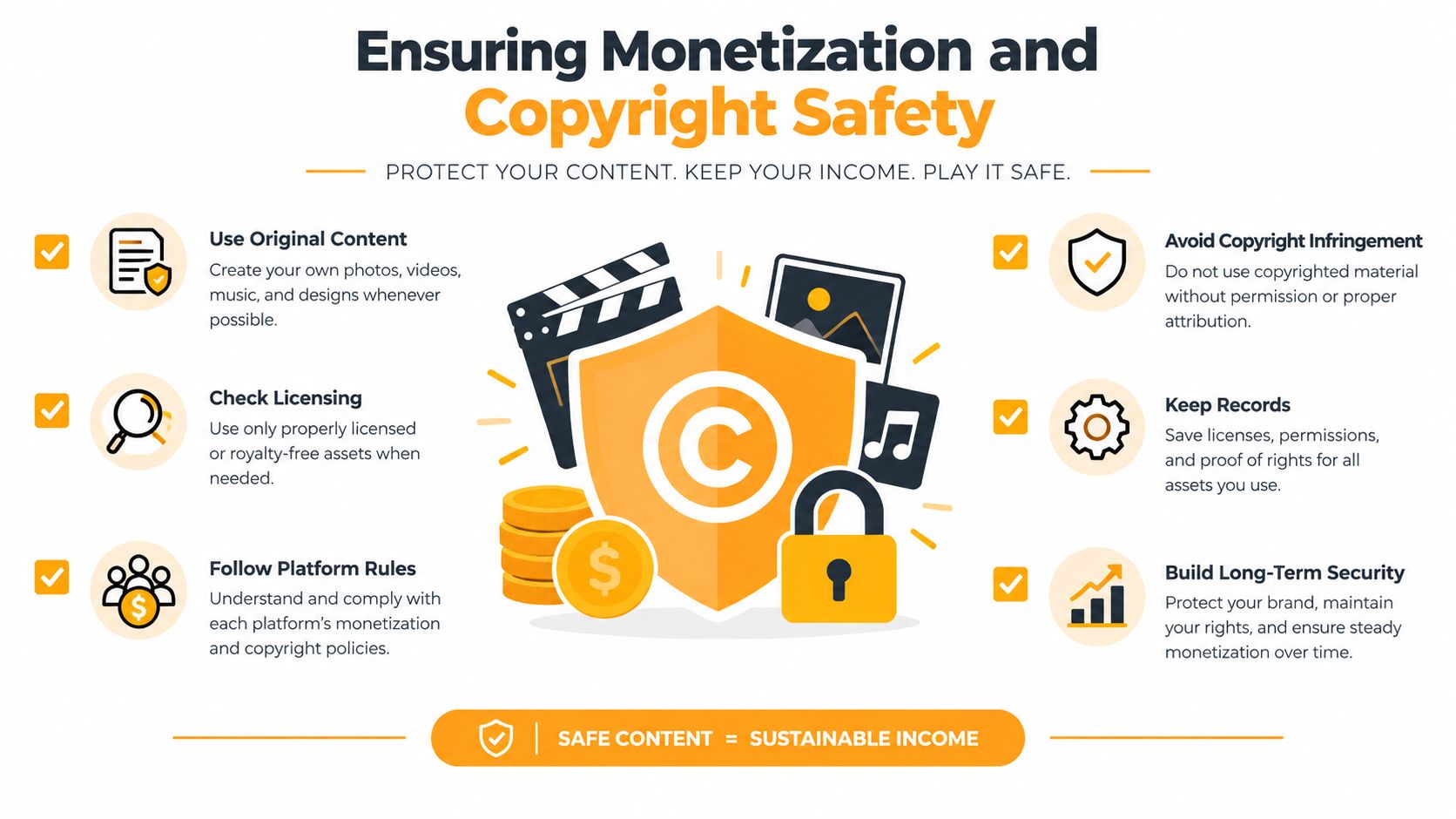
AI assistance doesn't automatically make a channel unsafe for monetization. The risk appears when a creator publishes repetitive, mass-produced videos with little original narrative, commentary, education, or entertainment value. YouTube's July 2025 clarification says AI-assisted channels can remain eligible for the Partner Program, while repetitive content lacking clear creator input may be rejected (YouTube's YPP policy clarification).
Build authorship into the workflow:
- Research: Use original research and select evidence that fits the episode's specific question.
- Script: Rewrite generated drafts until the explanation has a distinct point of view.
- Direction: Maintain a character bible, visual rules, and deliberate performance choices.
- Editing: Cut generic exposition and reshape scenes around the actual audience payoff.
- Variation: Change the premise, examples, rhythm, visual metaphors, and conclusion from episode to episode.
- Review: Watch the full export as a viewer, not as the person who assembled it.
Fictional animated stories generally don't need altered-content labels when viewers can readily recognize them as animation. Realistic synthetic depictions may require disclosure, so review the applicable upload settings and keep a record of how assets were created (YouTube creator discussion on AI-assisted content).
Copyright needs equal discipline. Content ID can claim even a few seconds of copyrighted music, and automated matching can affect monetization (YouTube explanation of Content ID and fair use). Use original artwork, original narration, and music or sound effects with licenses that explicitly permit commercial online video. This AI Image Detector copyright guide is useful when checking generated or third-party visual assets.
Publishing and Optimizing for Discovery
Before upload, run a final audit. Confirm that the thumbnail accurately represents the episode, the title promises the actual payoff, and the description uses the language your audience searches for. Then check the MP4 on desktop and mobile, verify captions, inspect audio levels, and confirm that the exported frame rate matches the project.
Long-form episodes and Shorts support different growth paths. Full YouTube Partner Program revenue features generally require 1,000 subscribers plus either 4,000 valid public watch hours in the previous 12 months or 10 million valid public Shorts views in the previous 90 days (YouTube Partner Program eligibility). An expanded entry level in eligible regions requires 500 subscribers, three valid public uploads in the previous 90 days, and either 3,000 valid public watch hours or 3 million valid public Shorts views under the stated windows, but that tier isn't the same as broader advertising-revenue eligibility.
Review retention analytics after publishing. Find where viewers leave, identify the scene that caused confusion or delay, and revise the next episode rather than merely adding more visual polish.
RemotionAI turns plain-language concepts into editable Remotion React compositions, with AI voiceovers, synchronized audio, animated captions, and downloadable source code for deeper customization. Try RemotionAI to build a faster YouTube animation pipeline while keeping control over pacing, originality, and final production decisions.