How to Make Professional Videos That Convert on Social | RemotionAI Blog
how to make professional videos · AI video generation · video editing tips · social media video · RemotionAI
Learn how to make professional videos from concept to export. Get lighting, audio, editing and AI workflow tips for TikTok, Reels and YouTube.
You've got one idea, a phone or camera, and a deadline that somehow requires a polished TikTok, Instagram Reel, YouTube Short, product cut, and internal version. The usual response is to shoot one long video, crop it repeatedly, and hope the result feels intentional. It rarely does.
Professional video isn't defined by expensive equipment alone. It comes from a controlled system that protects the idea, captures clean images and sound, creates a deliberate edit, and packages the result for each platform. This workflow shows how to make professional videos with a small setup, AI-assisted production, and enough structure to turn one concept into a dependable content engine.
Why Professional Video Matters Right Now
Video has moved beyond the experimental channel. By 2026, about 91% of businesses used video as a marketing tool, while roughly 93% of marketers described video as a key part of their strategy, according to industry video marketing statistics. That shift changes the quality threshold. A shaky frame or muddy voiceover doesn't simply look imperfect, it can make a legitimate product or idea feel less trustworthy.
The pressure shows up everywhere. An e-commerce team needs a product demonstration for social media, a founder needs a launch announcement, an educator needs an explainer, and an HR team needs an internal update that people will watch. Each deliverable may use the same underlying idea, but viewers expect the framing, pace, captions, and call to action to fit the channel.
Professional standard: Make every creative decision serve comprehension, credibility, or retention.
That doesn't mean every video needs a cinema camera, a rented studio, or elaborate visual effects. It means the viewer shouldn't have to work to hear the speaker, understand the message, or follow the visual sequence. A clean edit, intentional lighting, consistent branding, and useful captions often signal quality more strongly than a costly lens.
A useful introduction to the broader role of video in marketing is what video marketing means. For spoken corporate content, teams can also benefit from practical branded video narration tips, especially when tone and clarity matter across markets.
The repeatable process is straightforward: define the idea, script the deliverables, capture the fundamentals, generate or assemble supporting visuals, edit for attention, and export platform-specific versions. The advantage comes from treating one recording or concept as a source system instead of a single finished file.
Planning Your Concept Script and Shot List
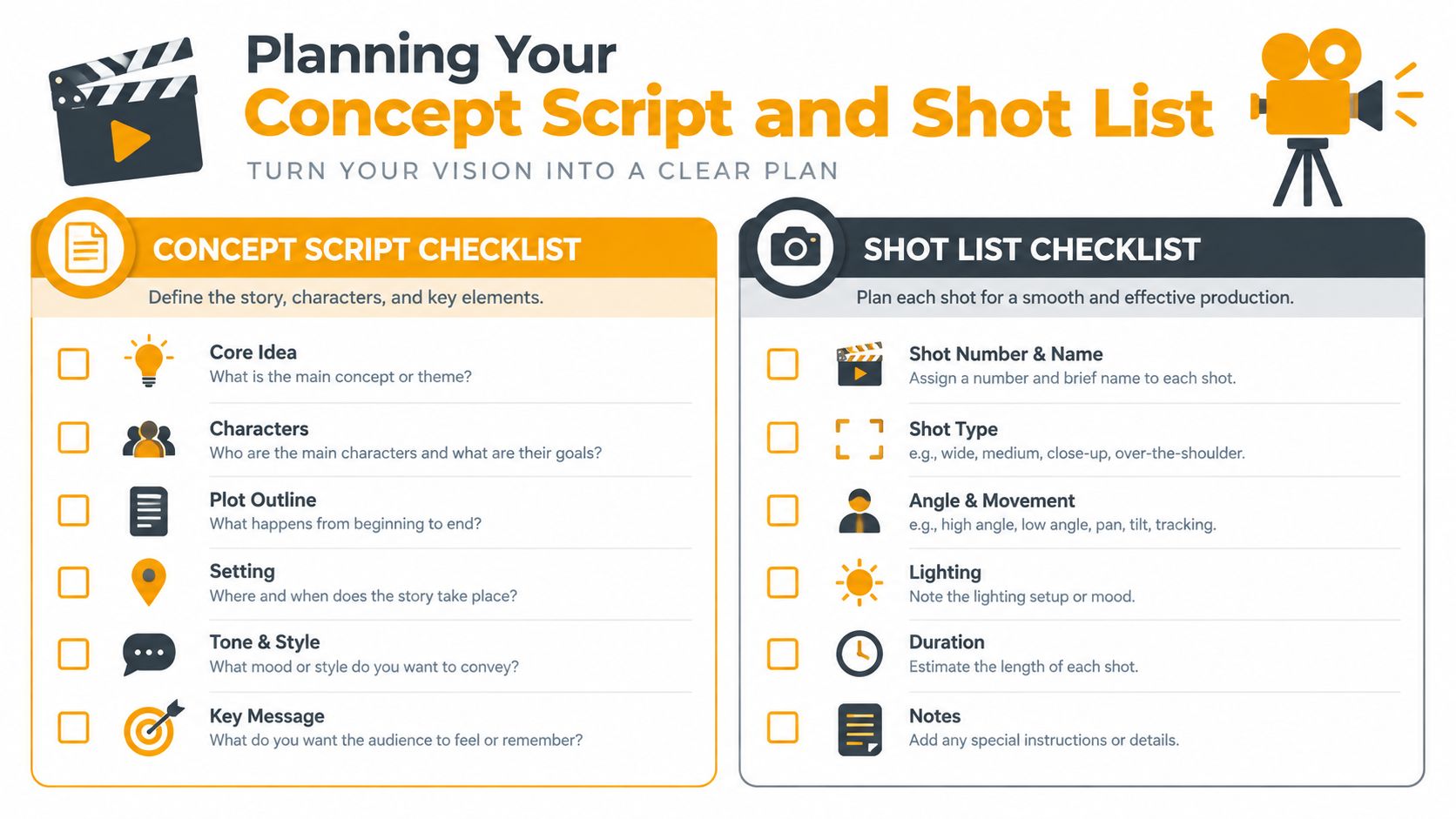
Start with the deliverable, not the camera. Decide whether the anchor video is vertical, horizontal, short-form, or long-form, then identify the shorter cuts you'll need. This prevents a common production failure: filming a beautiful sequence that contains no usable opening, clear product detail, or ending suitable for a call to action.
Lock the message before production
Write one central promise for each video. A product video might demonstrate one feature, while a founder video might answer one customer objection. Don't force several unrelated points into one short clip. Viewers can follow a focused argument much more easily than a compressed presentation.
Budgeting also becomes clearer when you think in finished minutes. Professional video production is commonly budgeted at about $1,000 per finished minute, while marketing campaign videos average $1,500 to $7,000 depending on complexity, according to Kapwing's video marketing benchmarks. Treat runtime as a production unit. A longer script creates more footage, more edit decisions, and more opportunities for revisions.
Use this planning sequence:
- Define the runtime: Set the target length for the anchor cut and each social variant.
- Write the hook: Put the problem, result, or surprising visual near the beginning.
- Lock the script: Resolve wording, claims, pronunciation, and CTA before filming.
- Build the shot list: Match every spoken line to a face shot, product shot, screen recording, or B-roll moment.
- Create alternate openings: Write different hooks for TikTok, Reels, and YouTube Shorts instead of recycling one introduction.
- Mark the frame: Note whether each shot must work in vertical, horizontal, or both.
The video scripting template can help turn a loose idea into a production-ready outline. Keep the storyboard simple. Rough frames, shot sizes, movement, and on-screen text are enough if they answer what the viewer sees at each moment.
Production rule: A locked script is cheaper than a reshoot, and a useful shot list is cheaper than searching through hours of unplanned footage.
Lighting Audio Composition and Camera Essentials
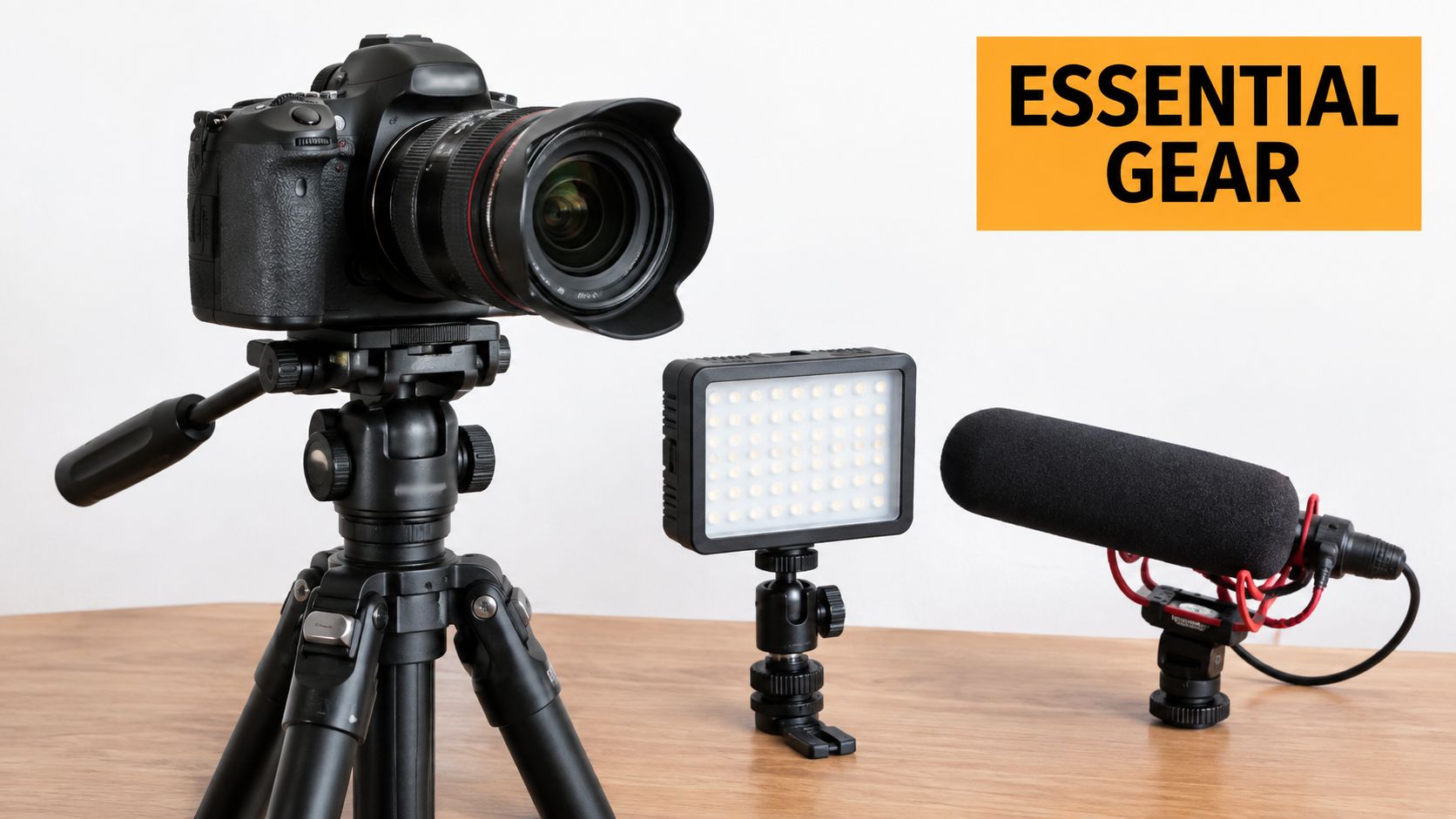
The camera records whatever you give it. If the face is underexposed, the room echoes, and the subject sits against a distracting background, editing can only disguise the problems. Professional results start with four signals: lighting, audio, composition, and rhythm-ready capture.
Place the key light slightly to one side of the subject and above eye level. A window can work if the light is consistent, but avoid placing the subject directly in front of a bright window. In a small room, move the person away from the wall, soften the source with diffusion, and add a subtle background light only if the scene needs separation.
Audio deserves priority over camera upgrades. Put a lavalier microphone close to the speaker, or aim a shotgun microphone toward the chest from just outside the frame. Record a short test, listen for clothing noise, fan hum, room reflections, and clipped peaks, then fix those issues before the full take. Viewers will tolerate a simple image more readily than dialogue they can't understand.
Compose for the destination
For vertical social video, leave safe space around captions and interface elements. Keep eyes near the upper third for talking heads, but give product close-ups enough room for motion and text. Shoot separate detail angles when possible. A product that looks clear in a wide frame may become unreadable after a vertical crop.
Lock focus when the subject stays in place, stabilize the camera, and avoid automatic exposure changes during a take. Use consistent white balance so cuts don't shift from warm to cool. The goal isn't to eliminate all movement, it's to make movement feel chosen.
Capture clean room tone and a few seconds of every important angle. Those small decisions give the editor options for transitions, pauses, and audio repairs without manufacturing coverage later.
Building Your AI Assisted Workflow with RemotionAI
AI becomes useful when it reduces repetitive production work without removing editorial judgment. Start with a plain-language brief that includes the audience, message, visual mood, runtime, format, brand colors, and CTA. The system should have enough direction to create a coherent first pass, not just a vague request for something “professional.”
RemotionAI turns that brief into real Remotion React code through Claude, which makes the composition inspectable and editable rather than a sealed video file. Use coded compositions for repeatable layouts, animated text, data-driven scenes, and branded templates. Generate supporting footage with Seedance text-to-video or image-to-video when the concept needs cinematic B-roll that would be slow or expensive to capture manually.
Separate the anchor from the variants
Build one master structure, then create platform versions from it. The anchor might contain the full explanation, while the variants change the hook, crop, caption density, music mix, and final CTA. A vertical template can emphasize the speaker and captions, while a horizontal cut can give a product demonstration more breathing room.
Remotion with Claude is useful for this iterative approach because the creative team can describe changes in natural language, preview them, and refine timing, colors, or animations. Add AI voiceovers, synchronized audio, background music, and animated word-by-word captions when they support the message. Keep human review in the loop for pronunciation, pacing, factual accuracy, brand tone, and visual continuity.
Use style presets for recurring campaigns. Upload the logo, define colors, standardize type treatment, and save layout decisions so every new concept starts from a recognizable visual language. Generate footage when you need atmosphere or scale. Code the composition when you need consistency, precise timing, reusable logic, or multiple versions from the same source.
Editing Captions Templates and Platform Ready Exports
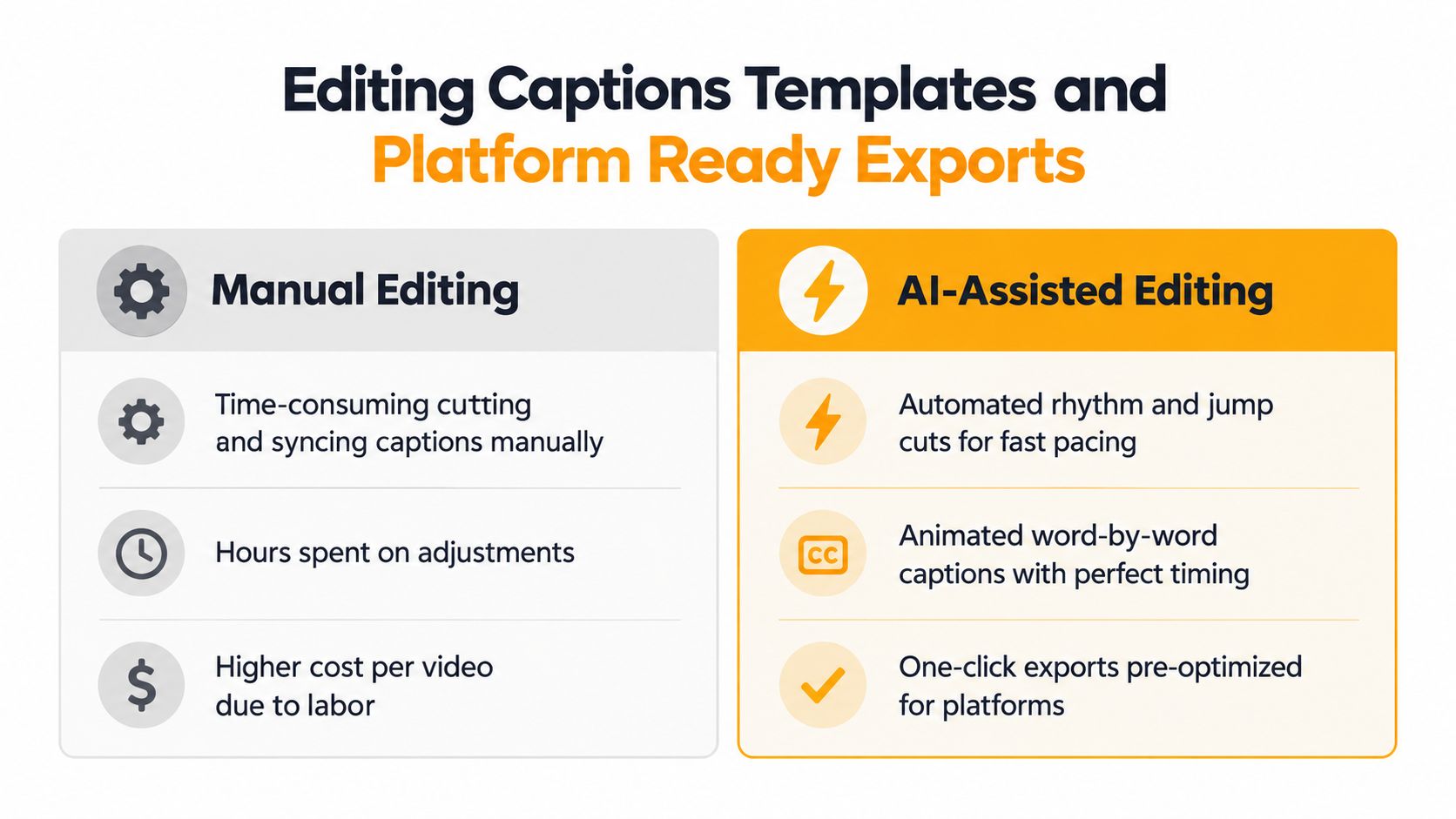
Retention usually fails in the edit, not during the shoot. Short-form video under 60 seconds accounts for 70% of social media video consumption, and viewers finish around 65% of videos under one minute, compared with 20% of videos over 20 minutes, according to videography industry benchmarks. Those figures don't mean every video should be short. They do mean the opening and middle need active editorial decisions.
Cut the first pause, repeated phrase, and unnecessary setup. Put the core tension or benefit near the start, then refresh the visual pattern with a product detail, screen capture, graphic, or change in framing. Don't overproduce the hook while allowing the middle to drift. A strong opening can't rescue a slow explanation.
Captions should support comprehension, not cover the subject. Keep them to two lines maximum, begin them when dialogue starts, and leave at least two empty frames between consecutive captions on 24 to 30 fps footage. For 60 fps footage, leave at least four empty frames, following caption timing guidance from Derek Lieu. Check names, technical terms, and punctuation manually.
For a reliable short-form baseline, export at 1080×1920 pixels in a 9:16 aspect ratio, the recommended format for TikTok, Instagram Reels, and YouTube Shorts, as outlined in this social media video dimensions guide.
| Setting | Recommended Value | Applies To |
|---|---|---|
| Resolution and aspect ratio | 1080×1920, 9:16 | TikTok, Reels, YouTube Shorts |
| Container and codecs | MP4, H.264 video, AAC-LC audio | Major social platforms |
| Audio sample rate | 48 kHz | Social and general delivery |
| Frame rate | 24 to 30 fps | Stable export baseline |
Use an MP4 with H.264 video and AAC-LC audio at 48 kHz, keeping the frame rate within the 24 to 30 fps range for a broadly compatible delivery file, based on post-production export guidance. Watch the uploaded file on a phone before publishing. Compression can expose caption collisions, clipped music, or a crop that looked fine in the editor.
Common Mistakes to Avoid and Final Checklist
The biggest mistake is assuming “professional” means adding more. More transitions, more motion graphics, more B-roll, and more music often make a video harder to understand. A restrained cut with clean audio and a clear visual hierarchy usually feels more credible than a busy edit trying to prove its production value.
Another failure is repurposing the long-form cut unchanged. Platform-native versions need their own openings, framing, caption placement, and CTA timing. The competitive workflow increasingly favors rapid iteration and repackaging, with 63% of video marketers reporting AI use for creating or editing video in the cited industry benchmark set. Use automation to create options, then choose with editorial judgment.
Run this gate before publishing:
- Message: Can a viewer identify the main point quickly?
- Script: Did you lock the wording and verify every claim?
- Lighting: Is the face or product properly exposed and separated from the background?
- Audio: Can you understand every word on a phone speaker?
- Composition: Does the crop preserve the subject and leave caption-safe space?
- Pacing: Does each cut earn its place, especially through the middle?
- Captions: Are they synchronized, legible, accurate, and limited to two lines?
- Branding: Are colors, logos, fonts, and voice consistent?
- Exports: Did you verify the aspect ratio, codec, frame rate, and uploaded playback?
A polished video isn't the one with the most effects. It's the one that survives a distracted viewer, a small screen, platform compression, and a clear business objective without losing its point.
RemotionAI turns plain-language concepts into Remotion React compositions, cinematic Seedance visuals, voiceovers, music, captions, and platform-ready MP4 exports. Visit RemotionAI to build one concept into deliberate TikTok, Reels, and YouTube versions without setting up a full studio.