Social Media Video Guide for TikTok, Reels, and Shorts | RemotionAI Blog
social media video · short-form video · TikTok video specs · Reels aspect ratio · video captions
A practical guide to social media video that compares TikTok, Reels, and YouTube Shorts and covers specs, captions, KPIs, and a repeatable workflow.
You've edited a vertical clip, posted it everywhere, and checked the results. TikTok viewers scroll past, Instagram followers save it, and YouTube viewers ask for more detail. The footage hasn't changed, but the viewing job has.
What Social Media Video Means Today
Social media video means short or long-form footage distributed through feeds, profiles, and search on YouTube, Instagram, TikTok, and Facebook. Think of it as both a shop window and a conversation: show something useful, then help people understand it.
Kepios and DataReportal counted 5.24 billion social-media user identities, equivalent to 63.9% of the global population, in February 2025. Identities aren't unique people, since someone can hold multiple accounts. Still, that scale helps explain why video belongs in everyday teaching, product demonstrations, and community building, not just occasional promotions.

How TikTok, Reels, YouTube Shorts, and Feed Videos Differ
Treat these as planning roles, not promises about algorithms.
Core Roles and Length Notes by Platform
| Platform | Core role | Length note | Default frame |
|---|---|---|---|
| TikTok | Discovery | Start with a concise demonstration | Vertical |
| Instagram Reels | Discovery and follower consideration | Room for a walkthrough | Vertical |
| YouTube Shorts | Discovery beside searchable explainers | Room for a focused lesson | Vertical |
| Facebook feed | Conversation between familiar posts | Match the explanation needed | Portrait or square |
Shorts and Reels support videos up to three minutes. For the cited ad placement, TikTok recommends 9:16, at least 540 × 960 pixels; a 1080 × 1920 master is a practical production choice.
When repurposing longer material, The AI CMO's resource to turn videos into shorts provides a starting point. Don't assume the resulting edit fits every viewing job unchanged.
Matching Aspect Ratios and Durations to Each Feed
Cropping wide footage can remove the face, product label, or call to action that makes the explanation understandable.
A 2024 Facebook advertising study tested 16:9, 1:1, and 4:5 formats. Portrait ads showed lower abandonment; below one minute, portrait without subtitles produced stronger measured engagement, while subtitles helped retention more beyond one minute. Those findings concern that experiment, not every audience or accessibility need.
Practical rule: Compose a portrait master deliberately. Keep the subject and CTA centrally positioned, then adapt runtime and caption treatment to the task.
Use concise clips for quick completion and longer edits when demonstrations need explanation. Check vertical video dimensions and Scheduler.social's recommended resolution for YouTube Shorts before exporting.
Why Captions Matter Even With Sound Off
Someone commuting without earphones still needs your message. So does a viewer who relies on text to follow speech. Captions are an accessibility layer, not decoration.
An industry white paper's Facebook A/B test reported 16% higher average reach and 17% more reactions with captions; uncaptioned versions had approximately 15% fewer shares and nearly 18% fewer 10-second views. That's useful evidence, not a guaranteed lift.
Generate captions from the final voice track, synchronize words or phrases, and check names, terminology, timing, and contrast. For reliable display, burn them in while retaining a clean master for revisions. This closed-captioning workflow can guide preparation.
Captions should clarify the demonstration, never cover the detail you're asking viewers to notice.
Building a Repeatable Video Creation Workflow
Start with a brief that names the audience, viewing job, hook, scene sequence, caption direction, and desired action. Write scenes to fit the intended runtime rather than speeding up an overlong script.
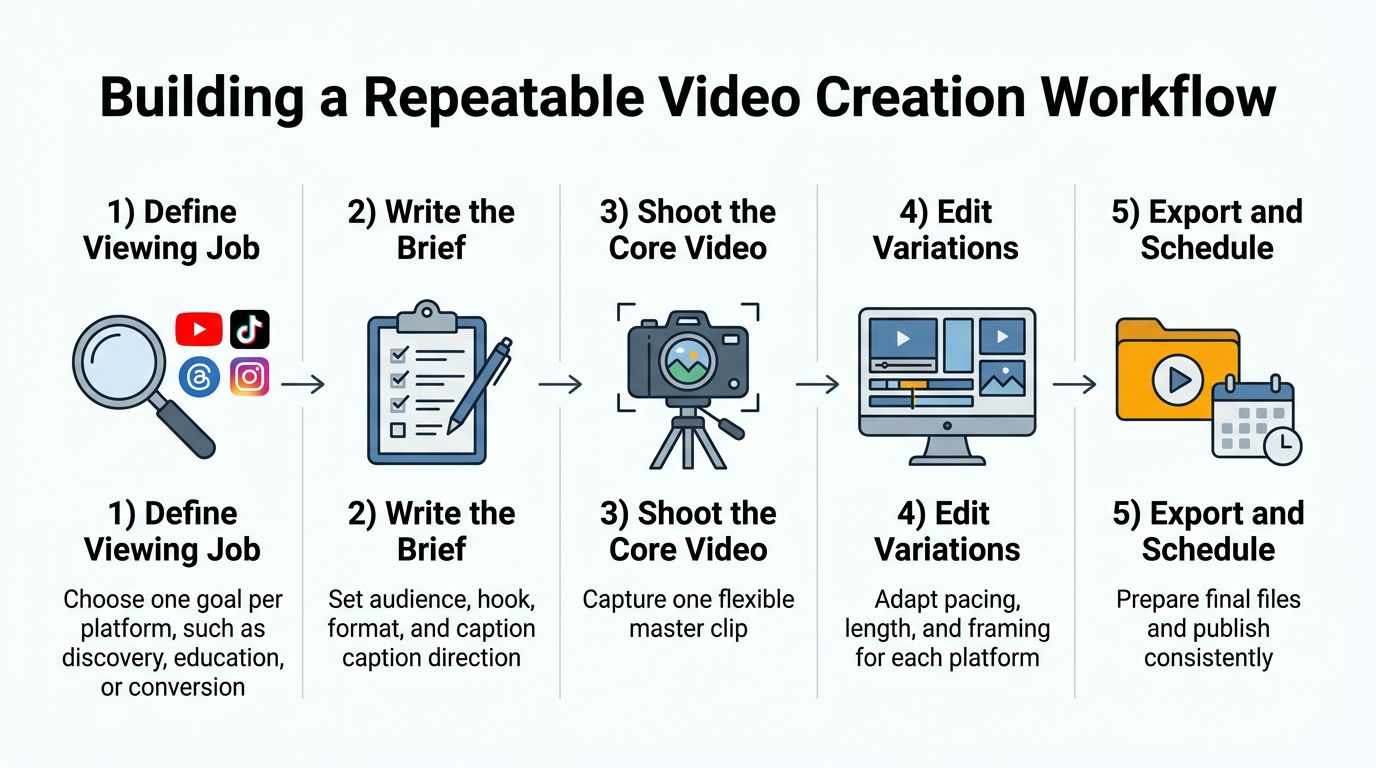
- Capture flexibly: Shoot the core demonstration using the portrait master described earlier.
- Adapt deliberately: Adjust pacing, framing, and synchronized captions; inspect safe margins.
- Publish measurably: Export named platform variants and prepare tracking before posting.
For example, a hypothetical DTC skincare brand could turn a product demonstration into a TikTok texture reveal, a Reels application walkthrough, and a YouTube Shorts explainer about usage. Each edit answers a different question, rather than merely repeating the same footage.
Measuring Results With Platform-Specific KPIs
Views tell you distribution, not whether someone understood or acted. Match measurement to the viewing job.
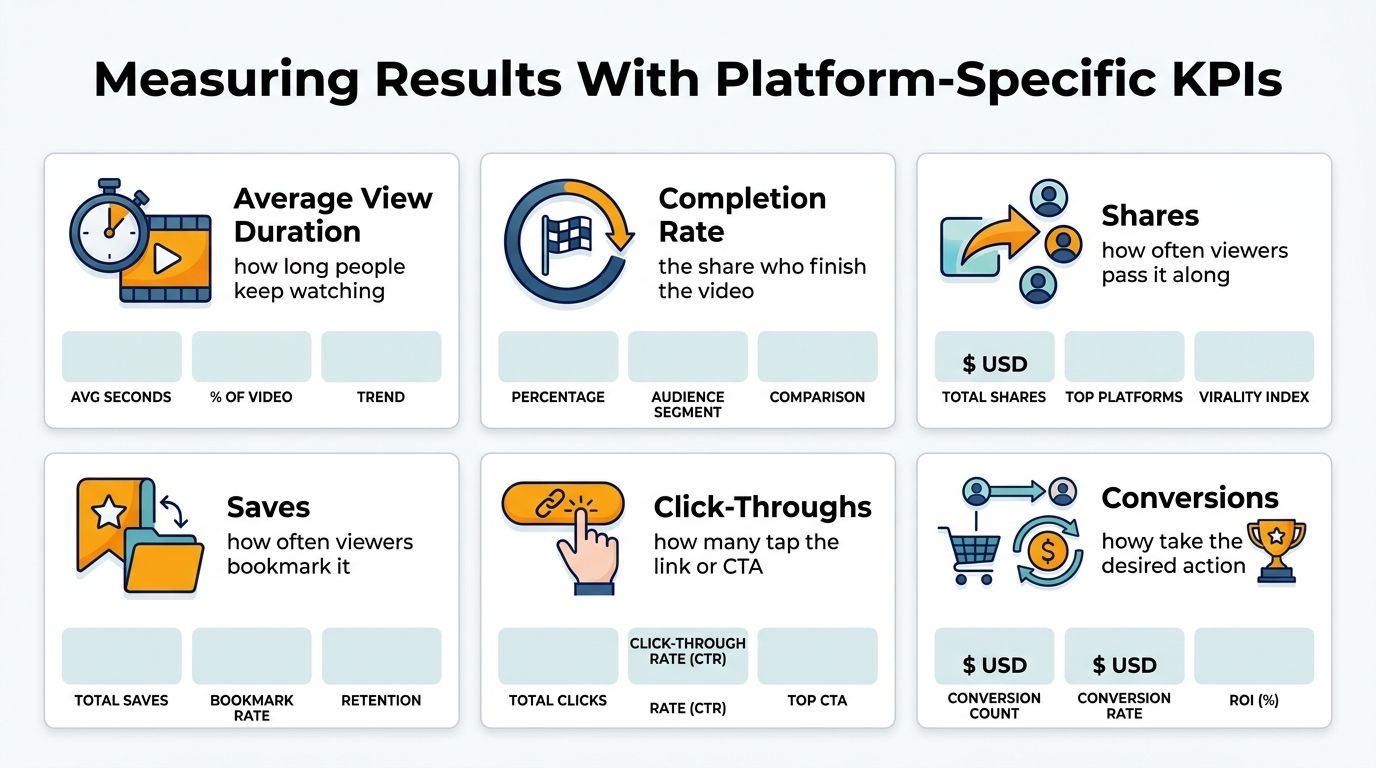
Use average view duration and completion to examine attention, shares and saves for usefulness, and click-throughs and conversions for action.
HubSpot reports first-quarter 2024 engagement rates of 5.91% for YouTube Shorts, approximately 5.75% for TikTok, and around 2% for Facebook Reels. These benchmarks don't establish which platform will win for your brand.
Keep a scorecard with a row for each platform and video. Record the intended outcome, relevant metrics, and a testable hypothesis, such as whether showing the finished result earlier improves retention. Compare within each platform before changing your production approach.
Comparing Tools for Producing Social Media Video
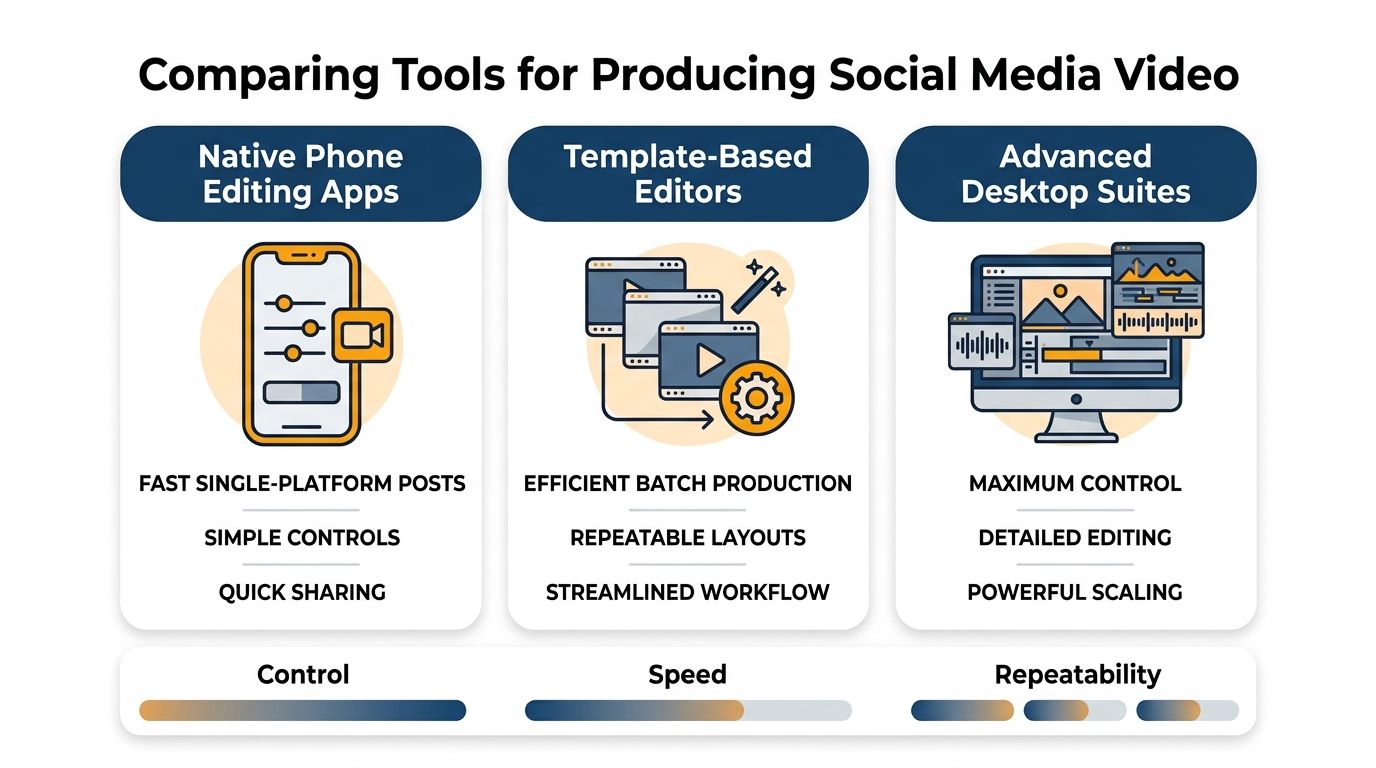
Choose phone apps for quick single-platform edits, template editors for batch variations, and code-based or AI-generated video for repeatable branded layouts. For detailed manual editing, compare desktop options through Isolate Audio's best editing tools for YouTubers.
RemotionAI is another option: describe a concept in English, and Claude generates Remotion React code for iterative changes and instant previews. Its pipeline renders 1080p MP4s in under two minutes.
Features include ElevenLabs voiceovers, synchronized audio, background music, animated word-by-word captions, vertical and horizontal templates, logo and color controls, downloadable .tsx files, and Seedance cinematic B-roll. A free tier supports initial exploration; Premium and Pro add higher quotas and priority rendering.
Templates, Examples, and Your Next Step
Keep a reusable brief with a hook, a three-beat middle covering problem, demonstration, and result, a caption style, a single CTA, and the required platform exports.
A course creator could use a lesson's surprising result as a Shorts teaser, then build a fuller Reels explanation from the same script. Connect each variant to its scorecard hypothesis so editing decisions remain measurable.
Paste the brief into the generator, choose a vertical or horizontal template, preview, and refine captions and layout. Render the finished version, or download the .tsx source when deeper customization is needed.
RemotionAI offers prompt-based video creation with editable layouts, voiceovers, and synchronized captions for platform-specific versions. Visit RemotionAI, create a vertical video from existing content on the free tier, and compare its retention against your last post.