Video Standard Sizes for Every Platform: 2026 Guide | RemotionAI Blog
video standard sizes · video resolution guide · aspect ratio · TikTok video size · export settings
Video standard sizes for YouTube, TikTok, Reels and ads, with pixel counts, minimum specs, bitrates and export settings you can use today.
“Export everything at the highest resolution” is poor advice about video standard sizes. A sharp file still fails when an app covers the price or crops the product. Start with the placement, design its composition, then choose the resolution and encoding settings.
Standard Video Sizes for Each Platform at a Glance
A platform's standard size is a composition, not just a pixel count. The ratio sets the frame; placement interfaces can still cover captions or crop products. Treat the recommended size as your production target, then check the composition at its intended placement.
Recommended export sizes by platform placement
| Placement | Aspect ratio | Recommended size | Minimum or note |
|---|---|---|---|
| YouTube long-form | 16:9 | 1920 × 1080 | At least 1280 × 720; sale or rental: 1920 × 1080 |
| YouTube Shorts | 9:16 | 1080 × 1920 | Use a vertical frame; keep captions and key content clear of interface overlays |
| TikTok organic | 9:16 | 1080 × 1920 | Use a vertical frame; keep captions and key content clear of interface overlays |
| TikTok in-feed ad, vertical | 9:16 | 1080 × 1920 | 540 × 960 |
| TikTok in-feed ad, horizontal | 16:9 | 1920 × 1080 | 960 × 540 |
| TikTok in-feed ad, square | 1:1 | 1080 × 1080 | 640 × 640 |
| Instagram Reels | 9:16 | 1080 × 1920 | Use a vertical frame; keep captions and key content clear of interface overlays |
| Instagram feed, square | 1:1 | 1080 × 1080 | Square composition; keep key content away from the edges |
| Instagram feed, portrait | 4:5 | 1080 × 1350 | Portrait composition; keep key content away from the edges |
YouTube's formatting guidance recommends at least 1280 × 720 for ordinary widescreen content and 1920 × 1080 for sale or rental video. For TikTok in-feed ads, the listed minimums are 540 × 960 vertical, 960 × 540 horizontal, and 640 × 640 square. Those ad minimums do not define organic-post requirements.
A sharp export can still underperform if a platform interface covers text or a product. Keep important content within a tested safe area, and preview each composition in its placement before publishing.
For campaign planning, use this social media video guide to match creative choices to placements. Property marketers can draw on video ad strategies from Pinnacle Property Media when aligning an export with a listing and campaign objective.
Build an export for each placement you'll publish, not every possible size.
Resolution Tiers and Why 16:9 Is the Default
Resolution tiers are like paper sizes: the proportions stay broadly consistent while the available detail changes. The dimensions below follow YouTube's resolution hierarchy; pixel counts are width multiplied by height.
Resolution tiers in 16:9 with pixel counts
| Tier | Dimensions | Pixels per frame | Best use |
|---|---|---|---|
| 240p | 426 × 240 | 102,240 | Very constrained connections |
| 360p | 640 × 360 | 230,400 | Low-bandwidth mobile fallback |
| 480p | 854 × 480 | 409,920 | Standard-definition fallback |
| 720p | 1280 × 720 | 921,600 | Lighter delivery; YouTube widescreen baseline |
| 1080p | 1920 × 1080 | 2,073,600 | Default landscape master; horizontal ads |
| 1440p | 2560 × 1440 | 3,686,400 | Higher-detail delivery |
| 4K UHD | 3840 × 2160 | 8,294,400 | Source preservation; cropping room |
| 8K | 7680 × 4320 | 33,177,600 | Specialist masters |
The meaningful jump is from full HD to UHD: four times the pixels, not automatically four times the visible quality. Use the standard horizontal production baseline for routine work, lighter tiers for constrained delivery, and higher-resolution sources when reframing needs the extra detail.
ITU's account of BT.709 describes the HDTV common image format as 1920 × 1080, with square pixels and a 16:9 shape. That broadcast framework became a familiar canvas across production tools.
Portrait composition instead serves upright phone viewing. Design it deliberately rather than rotating a finished widescreen file.
Practical rule: Choose a resolution for delivery and reframing needs, not as a quality badge.
Why One Master Rarely Fits Every Placement
A technically sharp export can still be commercially useless. App controls, captions, and profile information can cover important content near the edges, while a crop can remove a price or logo, practical concerns reflected in Sprout Social's video specifications guide.
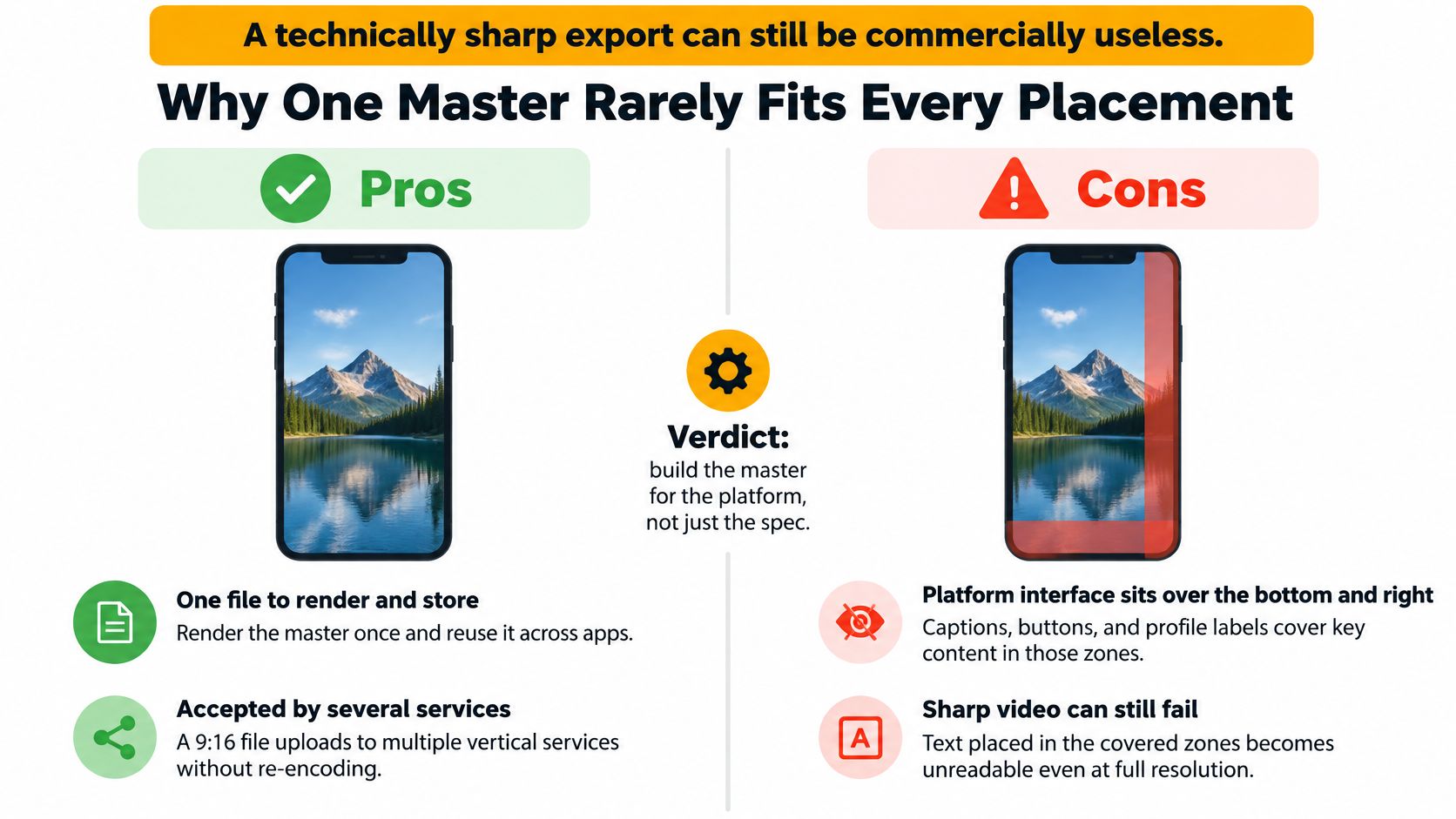
Treat the deliverable as a set of compositions. Give horizontal, vertical, and feed versions their own text wrapping, logo position, and product scale instead of shrinking the same layout.
For example, if you create fashion videos with Picjam, review garment framing separately for each placement. Keeping the model visible isn't enough if the crop removes the detail you're selling.
YouTube's upload guidance recommends preserving the native aspect ratio without embedded bars. Letterboxing a portrait asset inside a widescreen file wastes encoded space and makes the subject smaller.
Use an aspect-ratio adjustment workflow that repositions elements, then run the safe-area preview before upload. More pixels won't repair a hidden call to action.
Bitrate, Frame Rate and Codec Settings That Matter
Resolution sets the canvas; bitrate determines how much detail the encoded video can retain. For reference, Dacast's encoding guide gives ranges of 4 to 6 Mbps for 1080p SDR and 14 to 20 Mbps for 4K. A sharp export can still fail if the platform interface crops captions or product details, so bitrate and composition both matter.
Delivery settings by use case
| Use case | Resolution | Typical bitrate | Frame rate |
|---|---|---|---|
| Vertical social, talking head | 1080 × 1920 | 4 to 6 Mbps | 30 fps |
| Vertical product demo or text-heavy | 1080 × 1920 | 6 to 8 Mbps | 30 fps |
| Long-form YouTube, 1080p | 1920 × 1080 | 4 to 6 Mbps SDR | Match source, 24 to 60 fps |
| 4K source or heavy cropping | 3840 × 2160 | 14 to 20 Mbps | Match source |
| Constrained audience fallback | 854 × 480 | 1 to 2 Mbps | 30 fps |
These are starting settings, not universal platform requirements. Fast demonstrations and fine text need closer compression checks than a static presenter. Higher bitrate can preserve detail, but also increases file size; check the exported result at the size and crop intended for each placement.
Use H.264 in MP4 for broad compatibility. HEVC can reduce file size, but confirm the receiving pipeline supports it. Keep cinematic source timing rather than converting unnecessarily. For another practical encoding reference, see Virtual Tour Easy's video quality guide.
Render a higher tier only when the destination or cropping plan can use it.
Verify the Open Specs Before a Campaign
An unconfirmed minimum is a task to resolve, not permission to guess. Save the following checks with the campaign record.
- Open current specifications. Use the platform's upload or advertising documentation and record the access date.
- Save the evidence. Maintain a settings table with source links and mark unresolved values as unverified.
- Check the whole package. Compare dimensions with duration, file-size limits, and accepted formats.
- Inspect bitrate. Correct dimensions don't guarantee encoding eligibility.
- Test each placement. Upload the smallest planned delivery version and inspect captions, faces, and prices.
- Recheck during longer campaigns. Confirm requirements again before replacing creative or extending delivery.
Keep screenshots of placement previews alongside the export settings. The next editor should know which layout passed, not merely which file uploaded.
Confirm Your Export Package Before You Upload
Use Buffer's Instagram aspect-ratio guidance to check portrait framing, and keep a repeatable video export workflow.
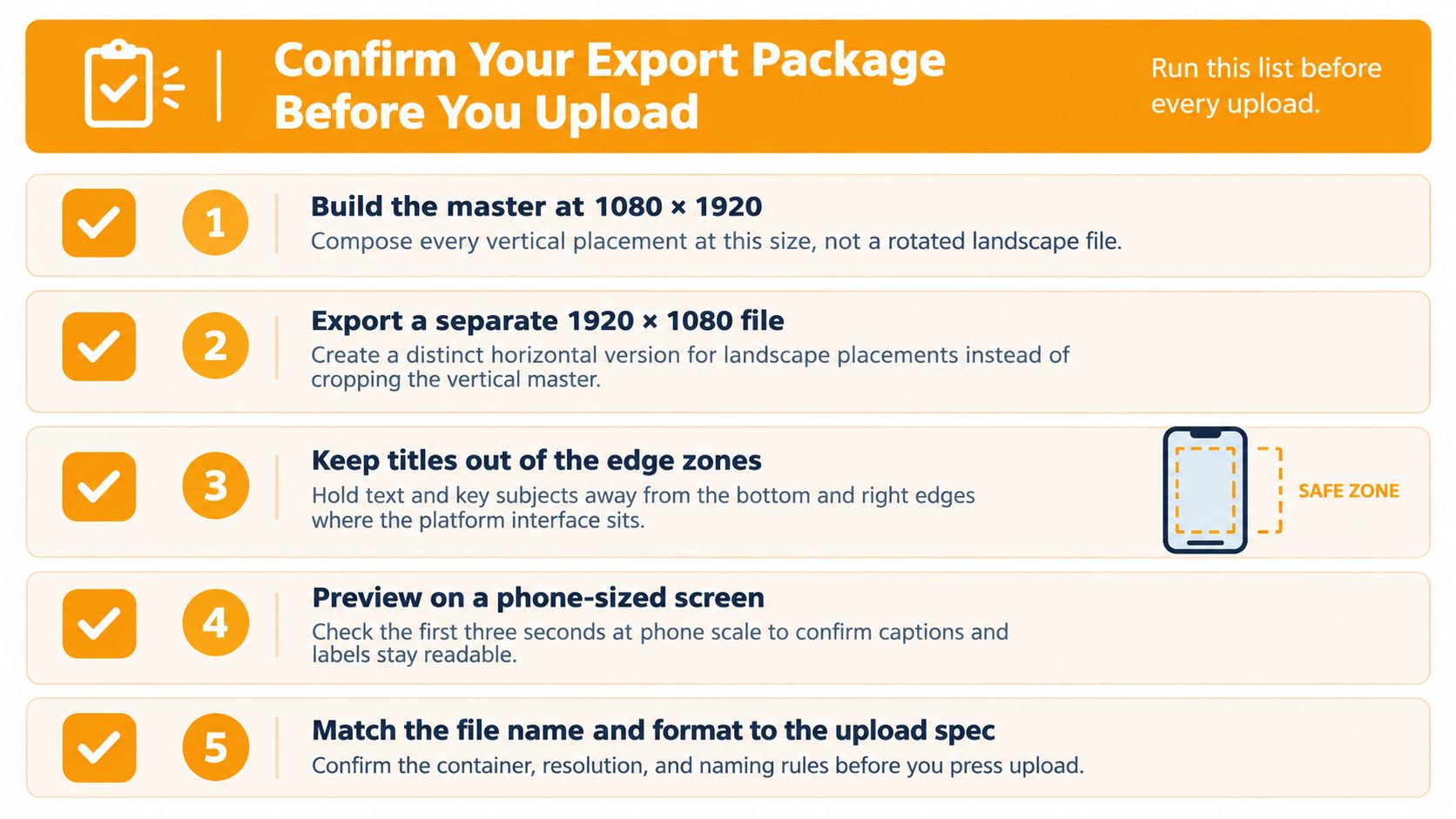
- Compose portrait natively. Don't rotate a finished widescreen master.
- Export horizontal versions separately. Rebuild their visual hierarchy.
- Protect essential content. Keep faces, prices, captions, and calls to action inside the tested safe area.
- Check pixel and timing settings. Use square pixels, progressive output, and consistent frame timing.
- Inspect compression. Verify codec, bitrate, and audio playback.
- Validate paid delivery. Check the campaign's saved duration, size, and bitrate requirements.
- Preview at phone scale. Enable captions and inspect every product label.
If anything fails, fix the composition or encoding setting before rendering again. A bigger file won't restore a cropped price.
RemotionAI turns plain-language concepts into editable video compositions with portrait and widescreen templates, captions, and brand controls. Visit it to build placement-specific versions, preview your layouts, and render the export package your campaign truly needs.