Facebook Ad Video: Complete Creator's Guide | RemotionAI Blog
facebook ad video · meta ads · video ads · ad creative · fb ads
Master Facebook ad video with specs, creative tips, and format strategies. Learn how to produce scroll-stopping ads for Feed, Stories, and Reels.
You're staring at the Facebook feed, thumb moving before the first frame has even settled. The ad looked polished in the edit timeline, but on the phone it's just another post fighting for attention, and if the opening doesn't earn the next second, the rest of the video never gets a chance.
That's the core problem with Facebook ad video. Most brands spend too much time polishing the middle and too little time designing the first three seconds, even though that's where the platform decides whether your message gets seen or skipped.
Why Most Facebook Video Ads Fail in the First 3 Seconds
The first mistake is easy to spot. Teams build the ad like a mini brand film, then expect the feed to reward patience. It usually won't. On mobile, viewers make a split-second judgment, and Meta's cited Nielsen analysis says up to 47% of campaign value can be delivered in the first 3 seconds, with up to 74% within the first 10 seconds.
That changes the opening frame. Slow logo reveals, warm-up shots, and abstract montage work against how people scroll. The first frames need to show the product, the pain point, the outcome, or a visually unmistakable action.
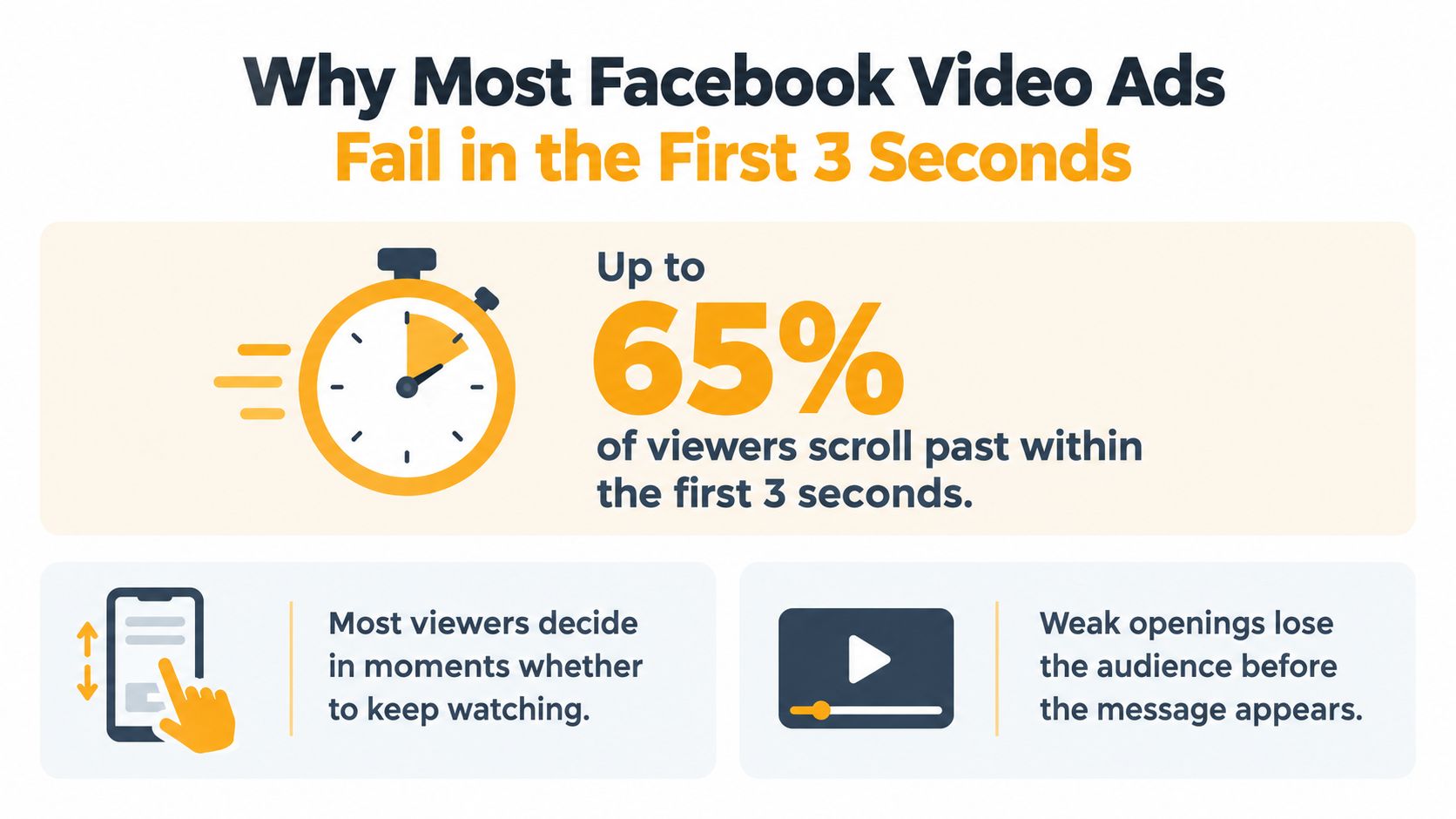
What actually happens in the feed
A hook that works does not feel polished first. It feels clear. The viewer should understand what the ad is, why it matters, and what changes if they keep watching, all from a quick glance.
Practical rule: if the value is unclear with sound off, the opening is too slow.
That is why brand intro thinking misses the point. You are not introducing the company. You are proving the ad deserves attention. For a system-level view on creative planning, see best practices for video marketing.
For teams building repeatable concepts, short form video ad frameworks are useful because they keep the focus on structure, not just editing polish.
The First 3 Second Hook Strategy
A strong opening has one job, it has to make the viewer understand the ad before their thumb moves. Put the product, the problem, the outcome, or a visually distinctive action in frame immediately, then build the rest of the story after that.
Meta's cited Nielsen analysis notes the first moments carry a disproportionate share of value, so the opening has to earn attention fast without waiting for context. In a short cut, the claim needs to be visible almost immediately, and the proof needs to follow before interest drops. Slow brand intros, soft warm-ups, and decorative montage usually lose to the feed.
How I'd structure the opening
Keep the core edit stable and test the hook itself. That gives you cleaner readouts, because you are changing the first frame or first beat instead of rebuilding the whole ad.
- Product demonstration: open with the product in use, not a title card.
- Problem statement: start with the pain, then show the fix.
- Offer-led hook: lead with the deal when price or urgency is the reason to act.
- Curiosity trigger: use a surprising visual or claim, but move to the payoff quickly.
For teams that want repeatable variation, short form video ad frameworks are useful because they force structure before polish. That matters more than clever editing when you are testing hooks at scale.
A practical rule applies here. If the value is not clear with sound off, the opening is too slow. If the viewer cannot tell what changes for them in the first few seconds, the hook needs another pass. The best versions make the next second feel necessary, not optional.
Facebook Video Ad Specs and Format Requirements
Creative fails fast when the format is wrong. Facebook video ads accept MP4 or MOV files up to 4 GB, but the right aspect ratio depends on where the ad appears (Meta video specs guide). If you export one generic file and hope it fits everywhere, you'll end up with cropped text, awkward framing, or a re-render you didn't budget time for.
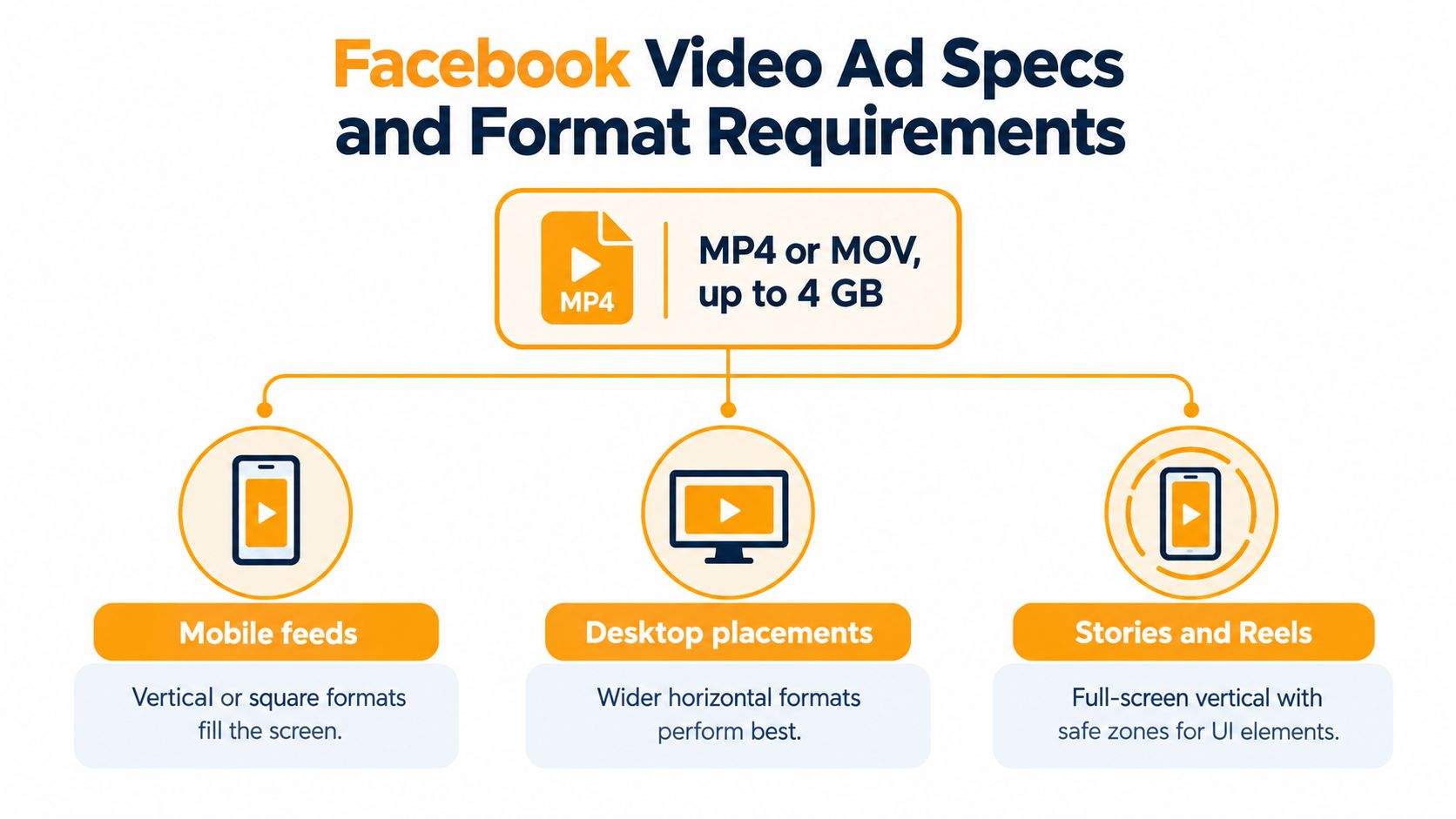
Match the file to the placement
For Facebook Feed, 1:1 or 4:5 is the safest way to preserve readability in a browsing environment. Stories and Reels need 9:16 vertical video, because the format is built to fill the screen. In-stream placements work with 16:9 horizontal video, which is where longer demos can still make sense.
Feed video can technically run for as long as 241 minutes, but that doesn't mean it should. The practical ceiling is much lower if you care about stopping the scroll. The 4 GB limit matters too, especially with high-resolution footage or multiple audio tracks, so export settings should be chosen with the final placement in mind, not just the source footage.
A good production pass keeps key text inside safe zones, uses readable captions, and exports separate versions instead of relying on one master file. If you need a quick baseline for vertical builds, vertical video dimensions is a useful reference point.
Feed versus Stories versus Reels Creative Differences
Feed, Stories, and Reels are not just three placements, they're three different viewing moods. In Feed, people are browsing. In Stories and Reels, they're moving fast through full-screen vertical content. That means the same message needs a different visual hierarchy depending on where it lands.
Feed creative can carry more product detail in 1:1 or 4:5 because the frame sits inside a broader browsing context. Stories and Reels need tighter framing, with critical text and branding kept away from interface areas near the top and bottom. If those elements collide with the UI, the ad looks careless even if the edit itself is strong.
Where each format earns its keep
- Feed: better for product detail, layered proof, and slightly longer demonstrations.
- Stories: better for direct, immediate motion and fast offer framing.
- Reels: better for vertical-native pacing and attention-grabbing first frames.
A single render rarely does all three jobs well. I'd rather ship three placement-specific versions than squeeze one file into every slot and lose clarity. If you want a useful model for that kind of repackaging, master content repurposing natively is a practical reference because the principle is the same, adapt the asset to the context instead of forcing the context to accept the asset.
Testing Creative Concepts for Maximum Performance
Weak test plans often compare one polished video against one weak image and call it a day. That usually hides the real reason performance changes. Concept, not cosmetics, is what you want to isolate.
Test the idea before the polish
Separate the creative into distinct bets, then judge each one on its own. Problem framing, demonstration, testimonial, offer, and founder narrative are different ideas, not minor edits to the same ad. If you change captions, colors, and button copy at once, you lose the read on what shifted results.
Auction mechanics matter too. Meta's ad auction weighs bid, estimated action rate, and ad quality, so the nicest-looking ad does not automatically win delivery (Meta ad auction explanation). A lower-bid ad can still compete if the platform expects stronger response and cleaner user experience.
Don't confuse curiosity with intent. A strong thumb-stop can still be the wrong audience.
Map each concept to the business event that matters, not to view count. If the campaign is built for leads or purchases, judge the video by what happens after the play, not by feed-level applause. For a practical lens on improving outcomes after the click, how to improve conversion rates is a useful companion piece.
Building Your Facebook Ad Video Workflow
The workflow gets easier once the strategy is clear. Start by defining the campaign objective, because the optimization event should shape both the creative and the test plan. An awareness ad can tolerate a different rhythm than a purchase ad, but neither one should waste the first three seconds.
A tool like RemotionAI fits naturally here, since it can turn a plain-language brief into platform-ready video variations, including branded layouts, captions, voiceovers, and vertical or horizontal versions. It's useful when you want to generate multiple hook options from one concept without rebuilding every asset by hand.
A practical production loop
- Lock the objective. Decide whether the ad should drive purchases, leads, or awareness.
- Build multiple hooks. Keep the body of the ad steady and vary only the opening.
- Export by placement. Make versions for Feed, Stories, and Reels instead of resizing one file.
- Measure the right metric. Match the metric to the objective, not to vanity watch time.
- Review experience signals. If people hide or report the ad, delivery quality can suffer.
That last point matters because auction quality isn't just about bidding. The complete ad experience, from impression to action, affects how the system evaluates the creative. A strong video that confuses people, misleads them, or clashes with the landing page still creates friction.
If you want a practical editor workflow that supports quick iteration, the ai video editor from Trupeer Inc. is another option to look at, especially if your team needs to move from concept to test assets quickly.
If you want to build Facebook ad video creative that survives the first three seconds, RemotionAI can help you generate hook variants, placement-specific exports, and brand-controlled versions without slowing down production. Visit RemotionAI to turn one brief into a testing-ready video workflow for Feed, Stories, and Reels.